

Intelligent orchestration at enterprise scale
Summer 2026 introduces powerful innovations that help organizations build more intelligent, connected, and scalable business experiences. From advanced AI capabilities and event-driven integrations to enhanced app design, deployment automation, and operational insights, this release empowers teams to automate with greater confidence, accelerate innovation, and deliver more adaptive digital experiences across the enterprise.
The following list considers new features and improvements that enhance existing features and procedures.
The following list consists of features, improvements and fixes that are relevant in this update.
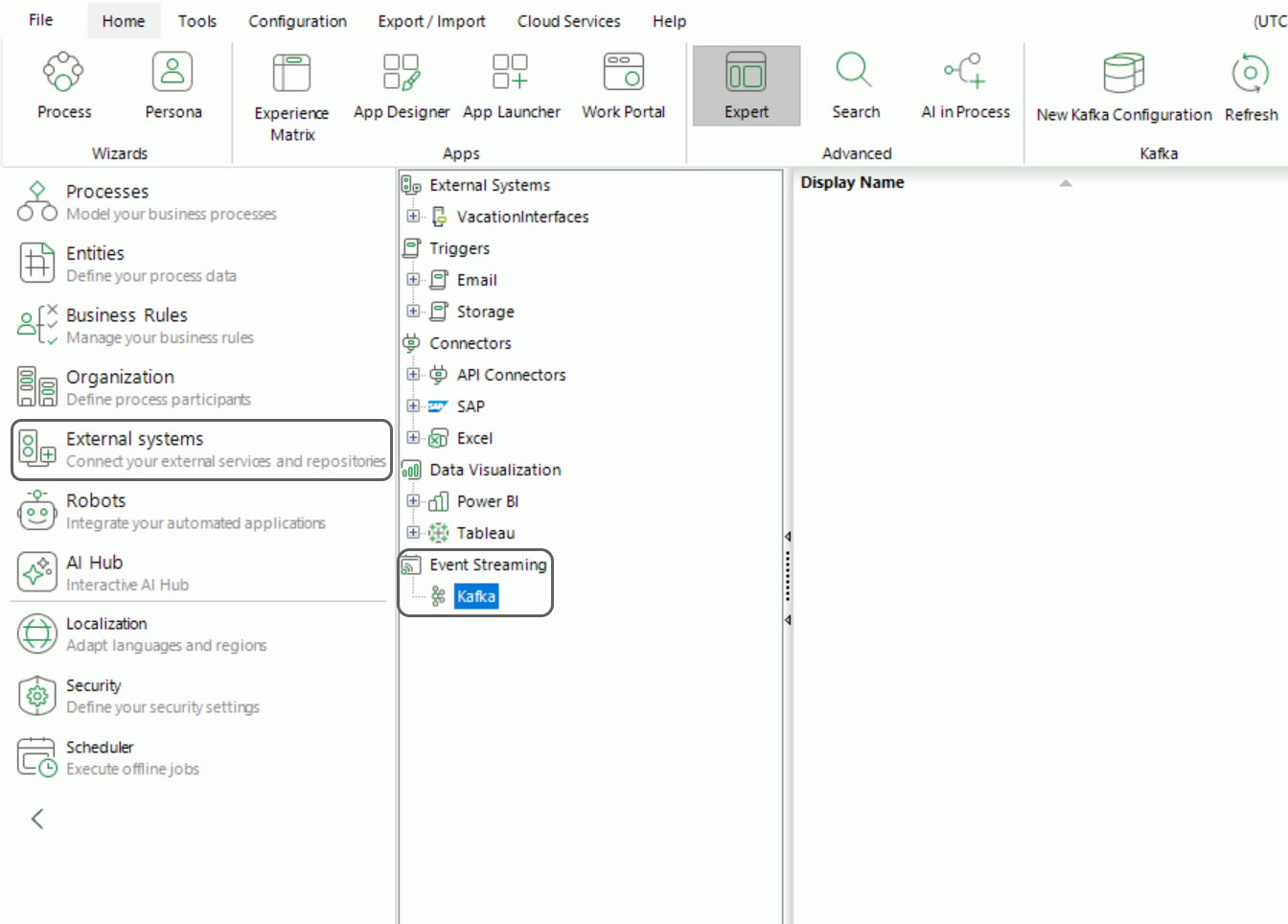
Bizagi now supports integration with Apache Kafka, enabling real-time event-driven communication with external systems. Bizagi can both consume events from Kafka topics to trigger actions such as starting cases or creating records, and publish events as part of process execution. This allows Bizagi to participate actively in event driven architectures, acting both as a decision engine and as a source of events.
Kafka consumption is configured natively in Bizagi Studio, while event publication is handled through a connector available in Bizagi Xchange. Configuration is defined in Development and promoted across environments, with Management Console providing operational control in Test and Production.
This capability enables scalable, asynchronous integrations without relying on Scheduler-based executions.
User role synchronization keeps permissions aligned between Microsoft Entra ID and Bizagi. By synchronizing role assignments from Azure, Bizagi ensures that users access the Work Portal with the correct roles, reducing manual role management.
This synchronization works through the existing SCIM integration, reflecting role changes made in Microsoft Entra ID during user provisioning.
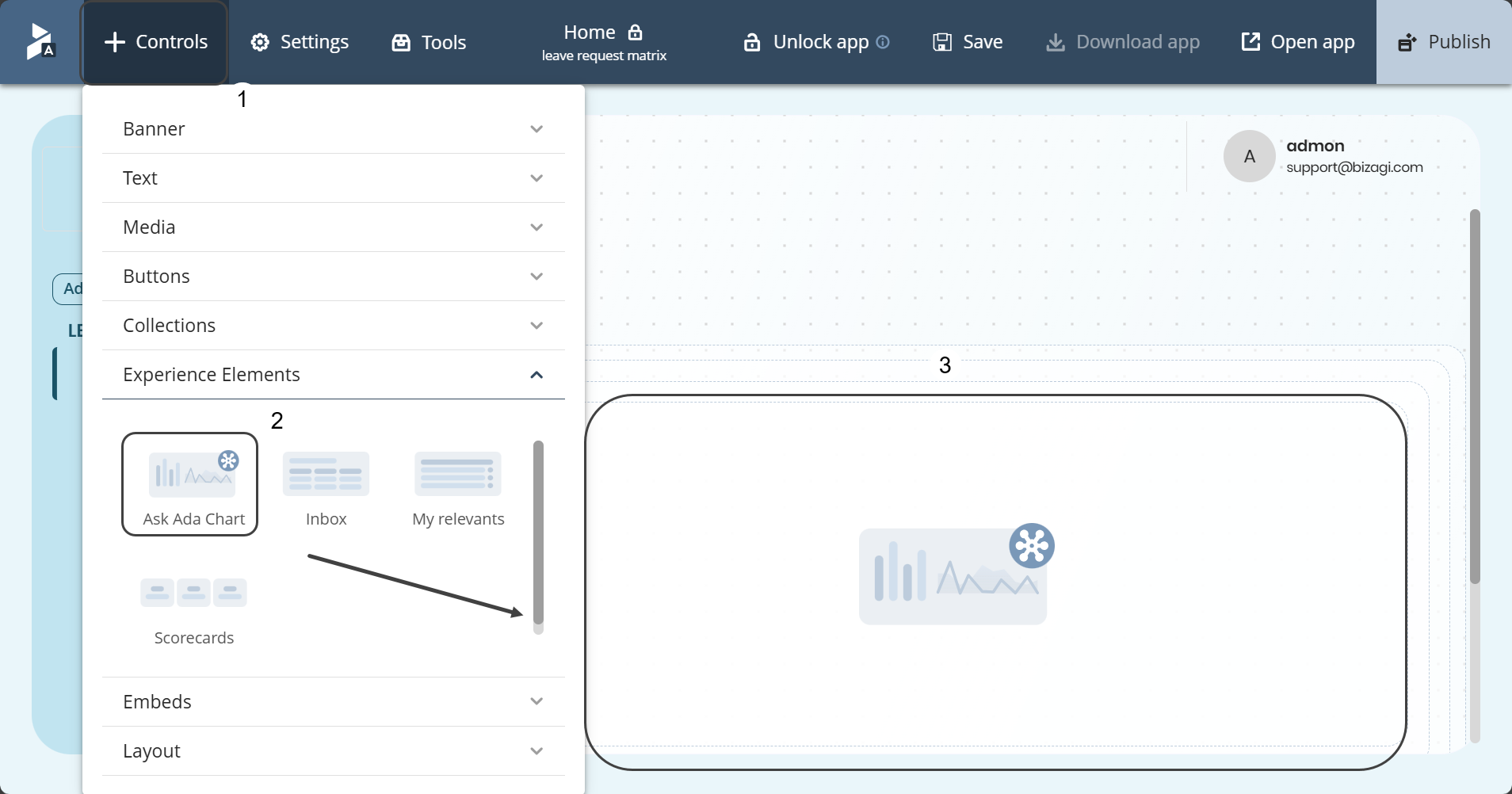
Ask Ada Charts enable end users to access contextual reports instantly and act on insights. Ask Ada Charts transforms natural language questions into dynamic visualizations, making business information easier to understand and act upon.
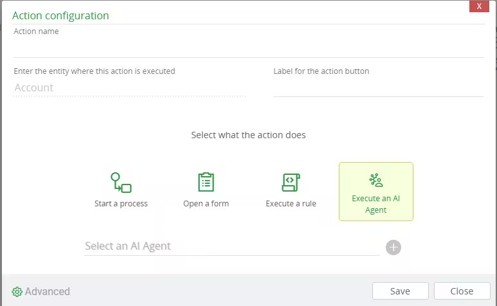
Entity Actions allow Master and Persona entities to execute an existing AI Agent using defined input and output mappings. You can add and manage these actions from the available Entity Actions options in the Expert view, Personas wizard, or Experience Matrix.
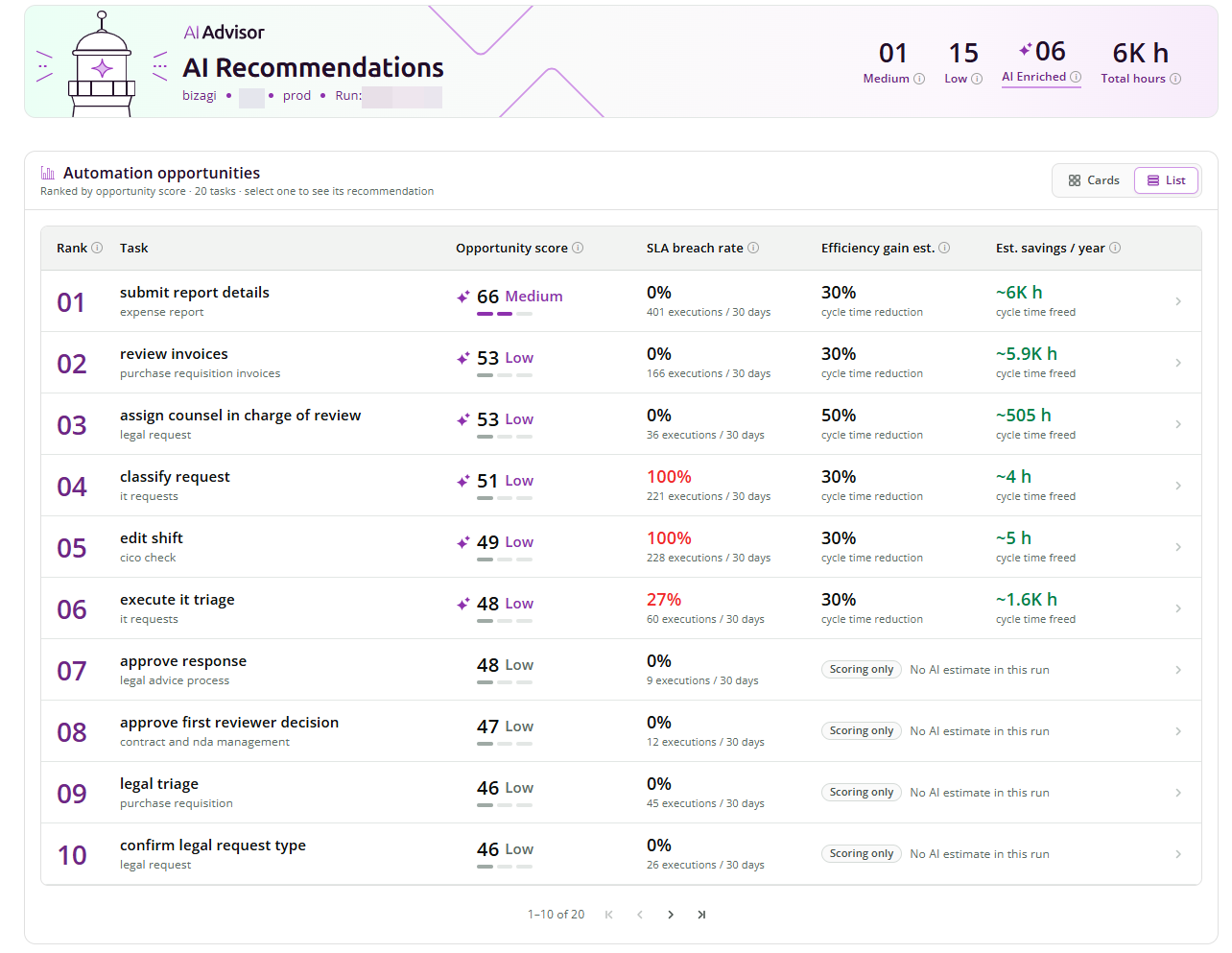
AI Advisor is available through Monitoring Center to help process owners identify where AI can create the most value. It analyzes production process execution and application metadata to identify tasks with the greatest potential for AI-driven improvement, providing a data-supported starting point for reducing effort, improving processes, and accelerating intelligent automation.
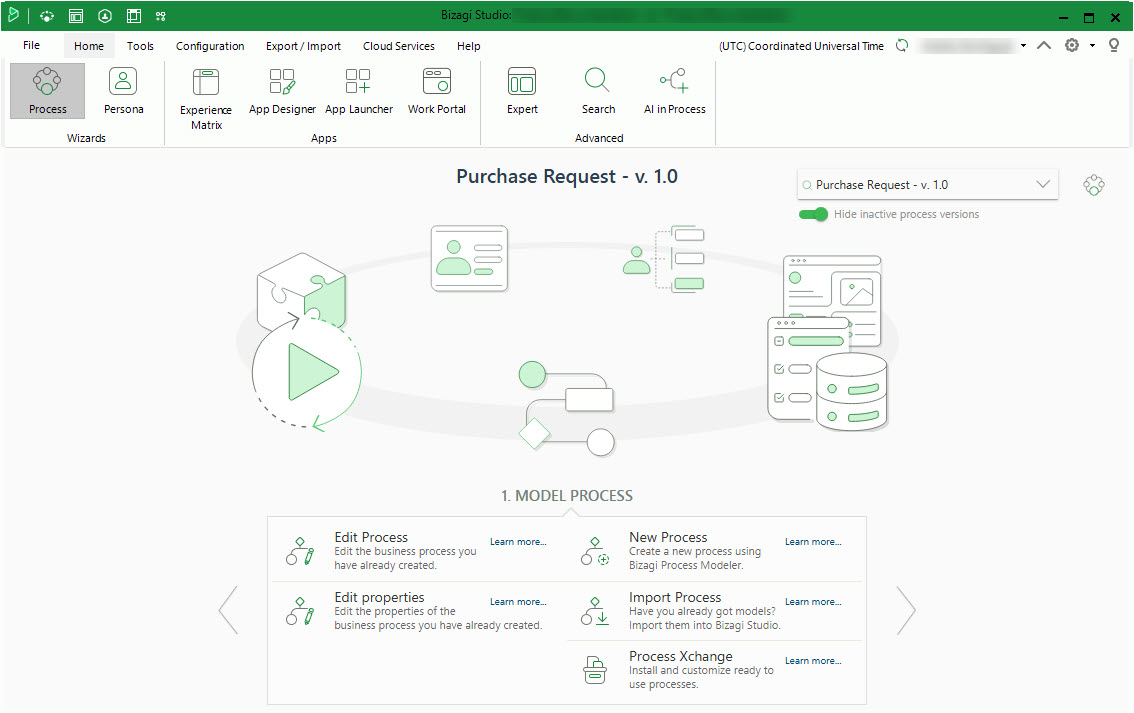
This update refreshes the visual design of Bizagi Studio and the Build page to align with the corporate branding introduced in Fall 2025. The enhancement modernizes the user experience by updating colors, icons, and interface to reflect Bizagi visual identity.
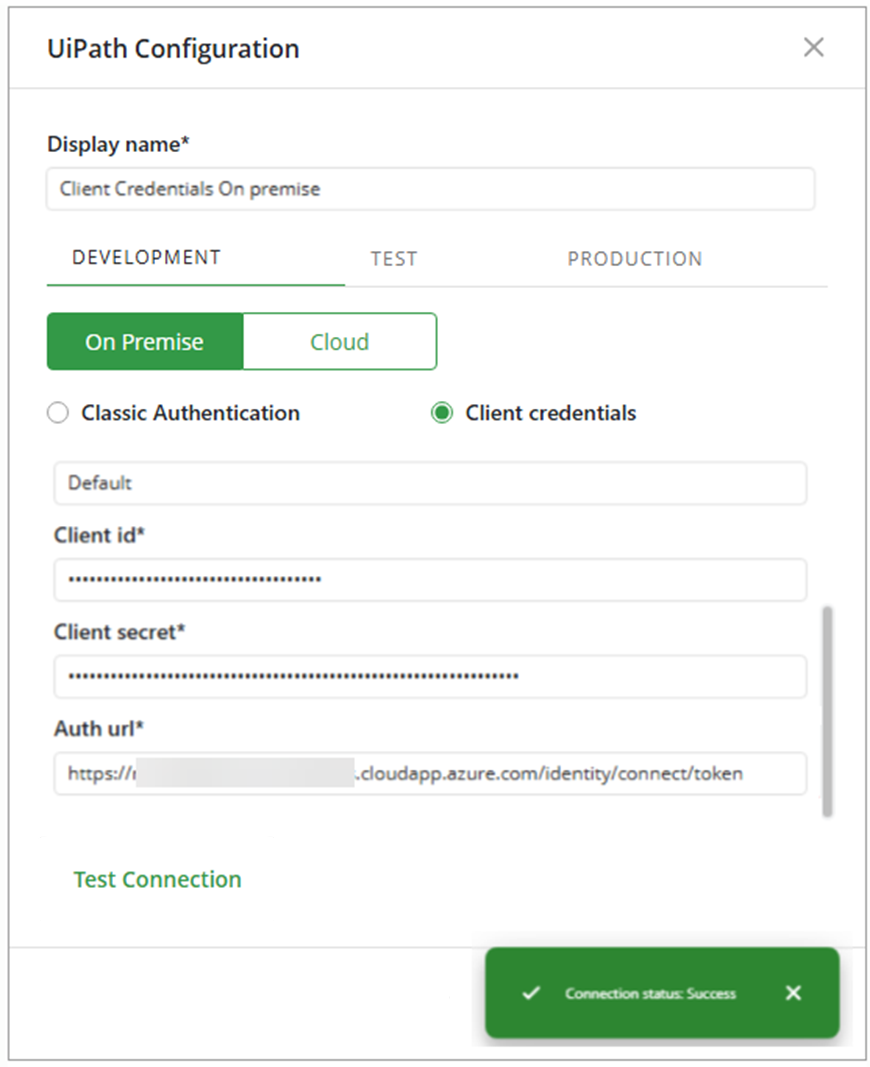
Bizagi enables the configuration of UiPath connections in on‑premise environments through Client Credentials, in addition to Classic Authentication. Bizagi Studio now allows users to configure Auth URL, Organization ID, Tenant Name, Client ID and Client Secret for all environments, replacing the deprecated API Access option in cloud connections. This configuration is available in both Bizagi Studio and Management Console.
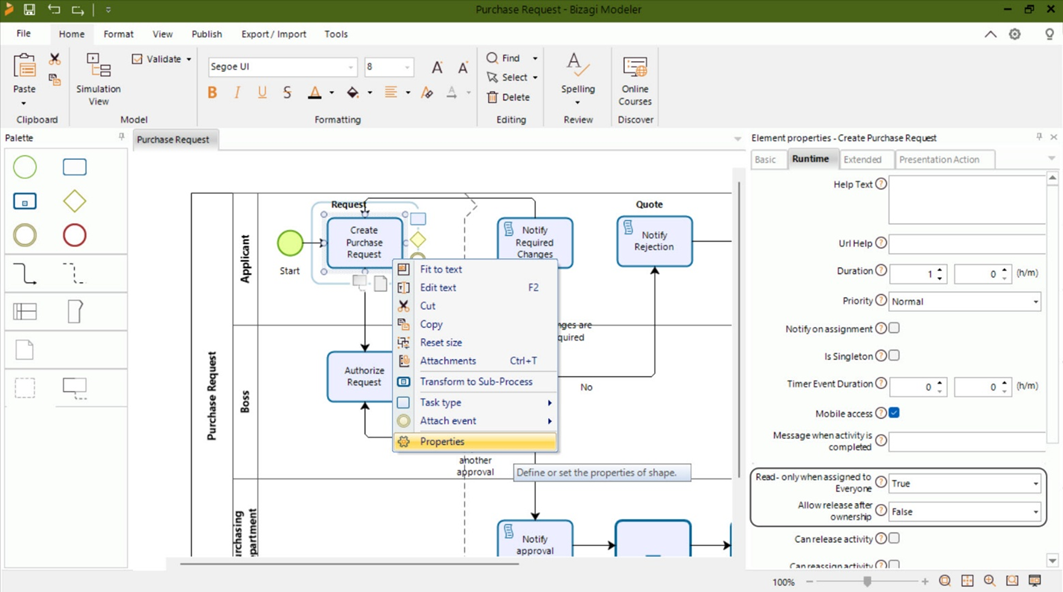
The platform enhances flexibility in work assignment by allowing the “read‑only” setting within the Take Ownership feature to be configured at the Task level rather than the Process level. Previously, all tasks inherited the same behavior when work was allocated to Everyone. With this update, each task can define its own ownership rules independently, enabling more precise configuration and better alignment with specific task requirements.
The Remove Unused Objects feature helps you keep your project organized by identifying objects that have no active references and removing them permanently. You can review unused objects in a dedicated window and select multiple items for removal. Selected objects are removed logically (not physically) from the database and are excluded from deployments as expected. System objects are protected and cannot be removed.

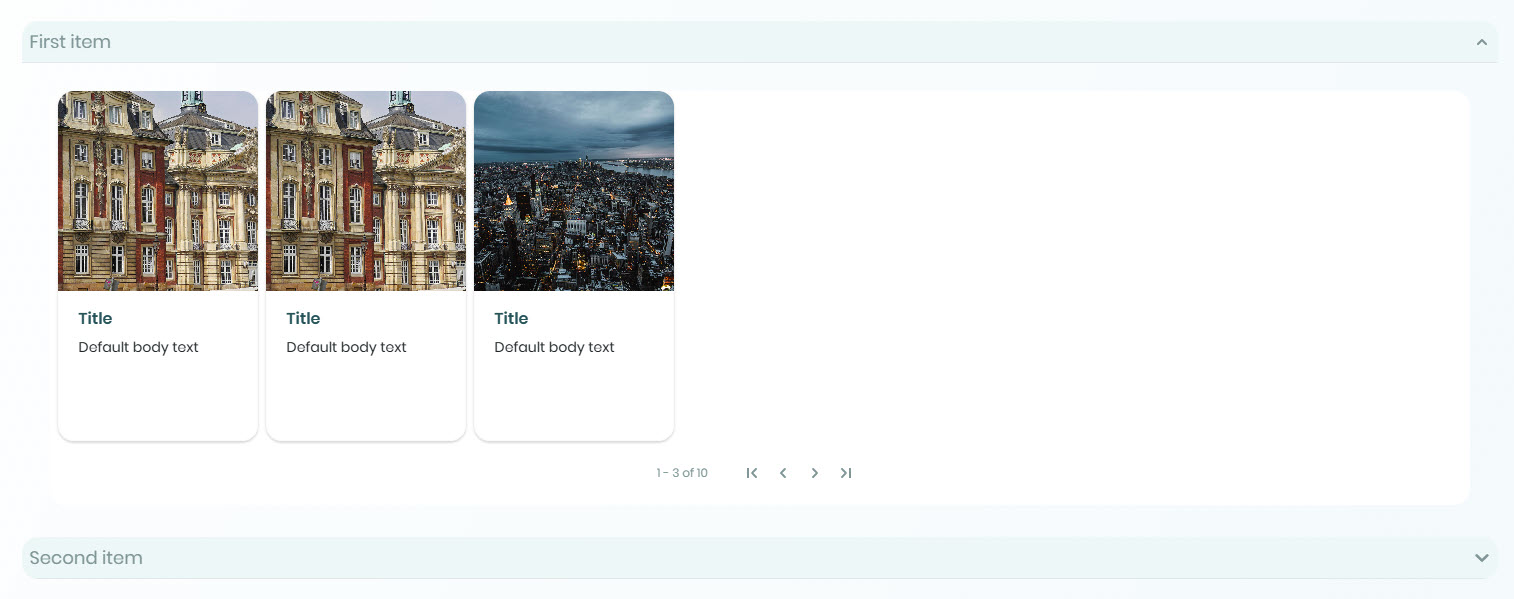
The Accordion control helps structure page layouts more efficiently by incorporating collapsible sections that organize related content in a clear and compact format. It enables users to expand and collapse grouped information as needed, improving the navigation experience and optimizing the use of available space within the interface. It supports text, buttons, media, and data components. The control includes configuration for item titles, optional descriptions, layout distribution, and interaction behavior, initial state and item expansion.
Booster
Controls can be configured to be visible on Desktop, Tablet, or Mobile, allowing you to design responsive apps that display only the controls appropriate for each device type.
This configuration is available in the VISIBILITY tab of each control and takes effect when the app is published.
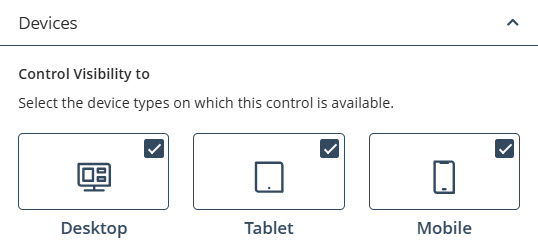
Controls display visual indicators on the page to represent their visibility settings. When you hover over or select a control, icons for Desktop, Tablet, and Mobile appear. Highlighted icons indicate that the control is visible on that device, while non-highlighted icons indicate that it is hidden.


These indicators provide a quick way to verify device-specific visibility settings without opening the configuration panel.
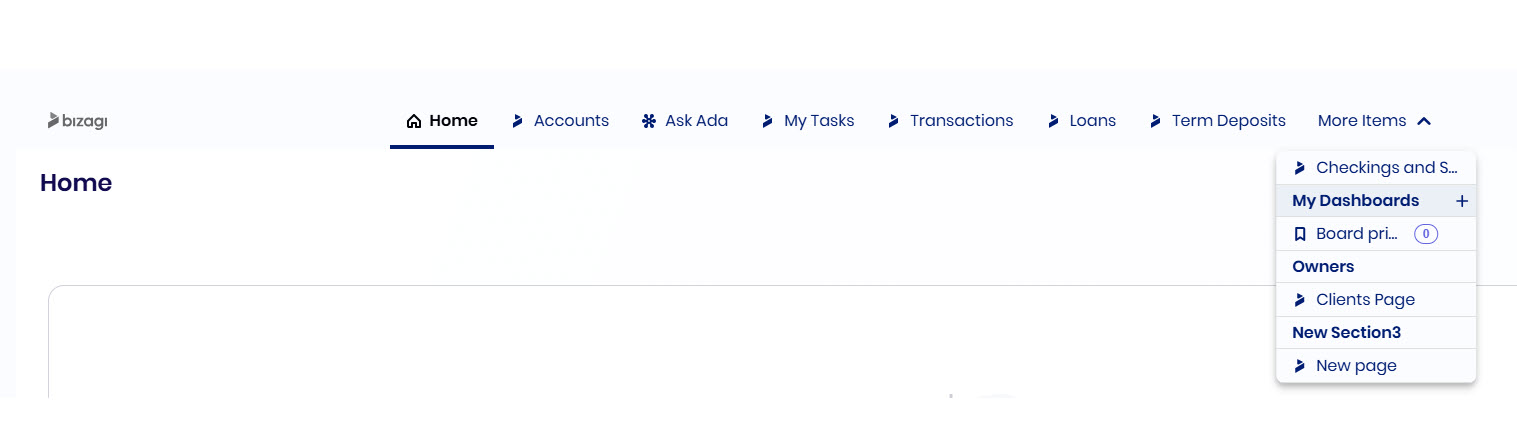
Bizagi allows you to configure the menu in Top Bar Navigation to adapt the app layout and improve user experience. In the App Designer editor, you can manage pages and sections from a single place by adding, editing, duplicating, deleting, and reordering items, and use the main title area to list, filter, and access pages during design.
An onboarding window is available in the editor for Top Bar Navigation, explaining how you can change the navigation type and edit menu items.
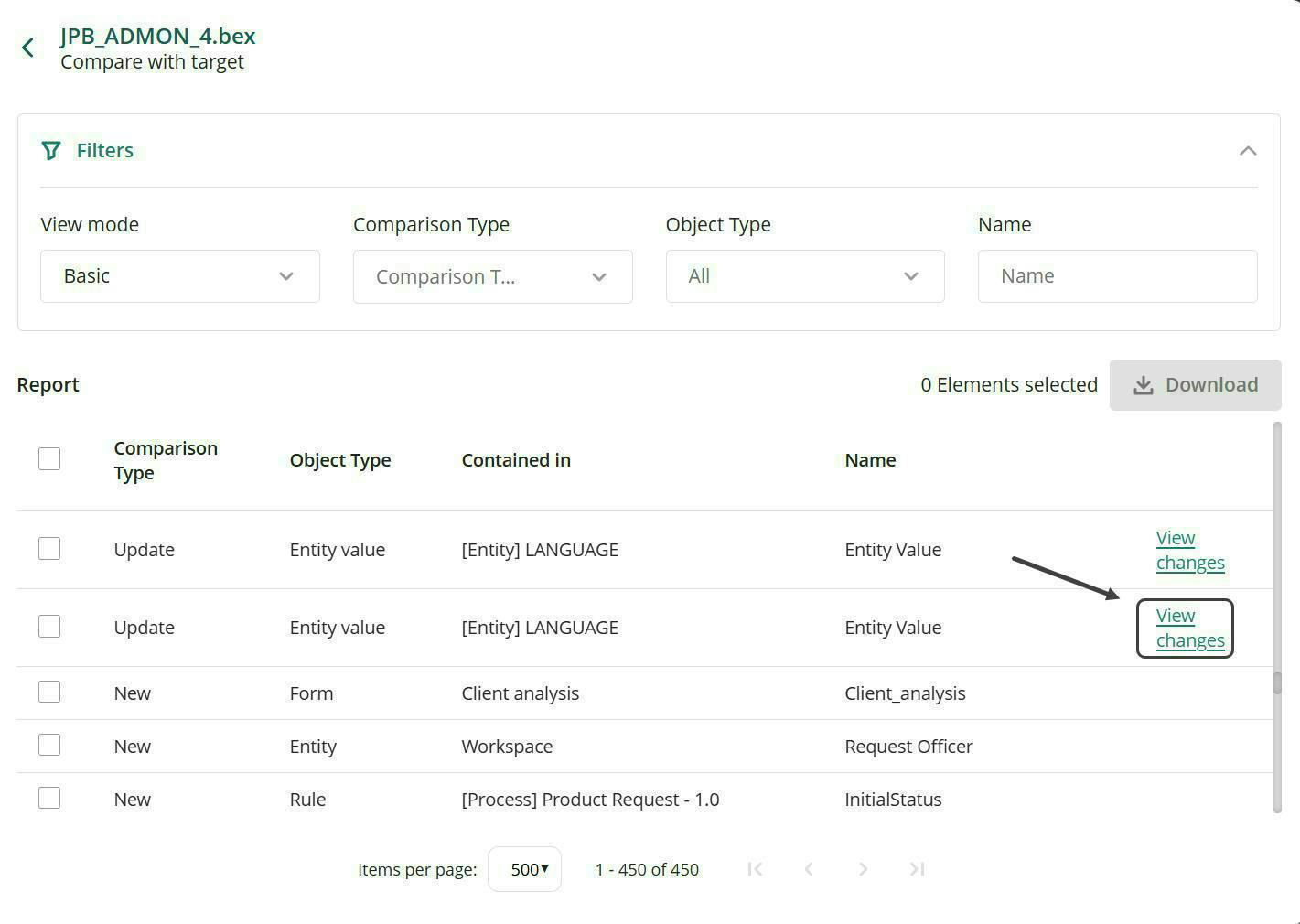
Delta Comparison for deployment packages introduces a way to review deployment packages before applying them. From the target environment’s, users can compare a package against the existing environment to see what is new, updated, deleted, or unchanged. Changes are presented with contextual filters and detailed side‑by‑side comparisons for updates, highlighting what changed. Results can be exported to Excel for further analysis, helping teams make informed deployment decisions.
Booster
Bizagi enables automated deployment by exposing export and import capabilities through a REST API. The API allows seamless integration with CI/CD pipelines, automated scripts, and orchestration tools. Deployments can be initiated by external tools and automated workflows, with support for exporting from Development environments and importing into Test or Production environments, with all operations executed asynchronously.
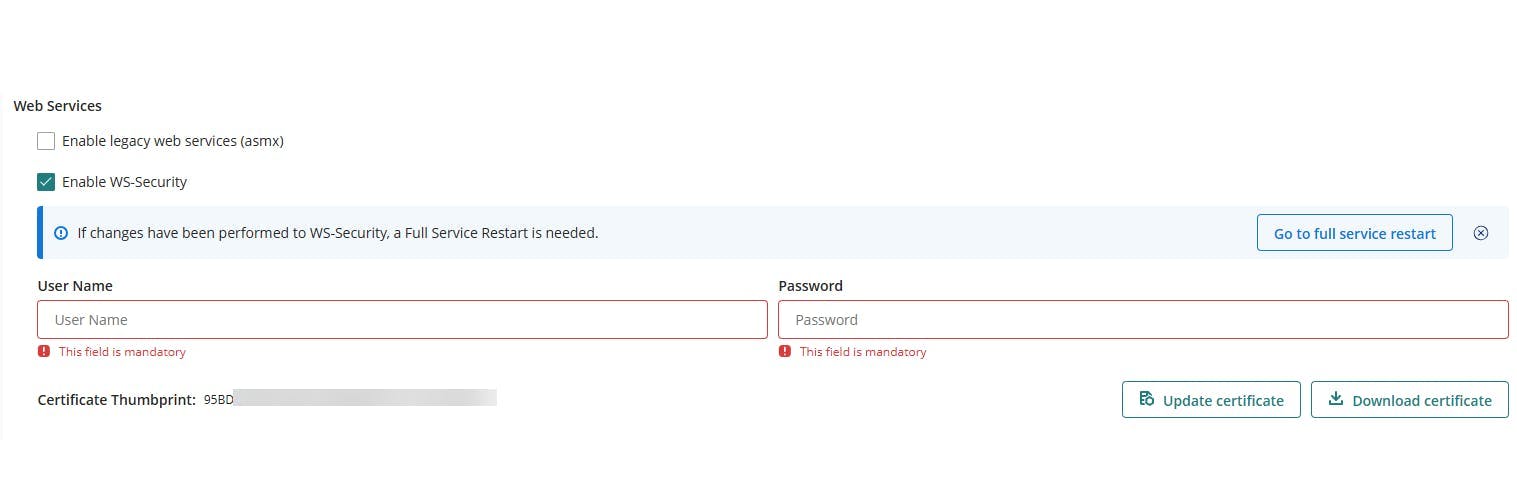
The Management Console includes an option to manage the certificates used for WS‑Security, allowing you to handle them easily. You can activate, update, and download the certificate corresponding to each environment (Development, Test, and Production).
Certificates are created automatically when your Management Console becomes available and have a validity of 10 years. If you are coming from a previous version, the existing certificate is migrated automatically during the upgrade, without requiring any action from you.
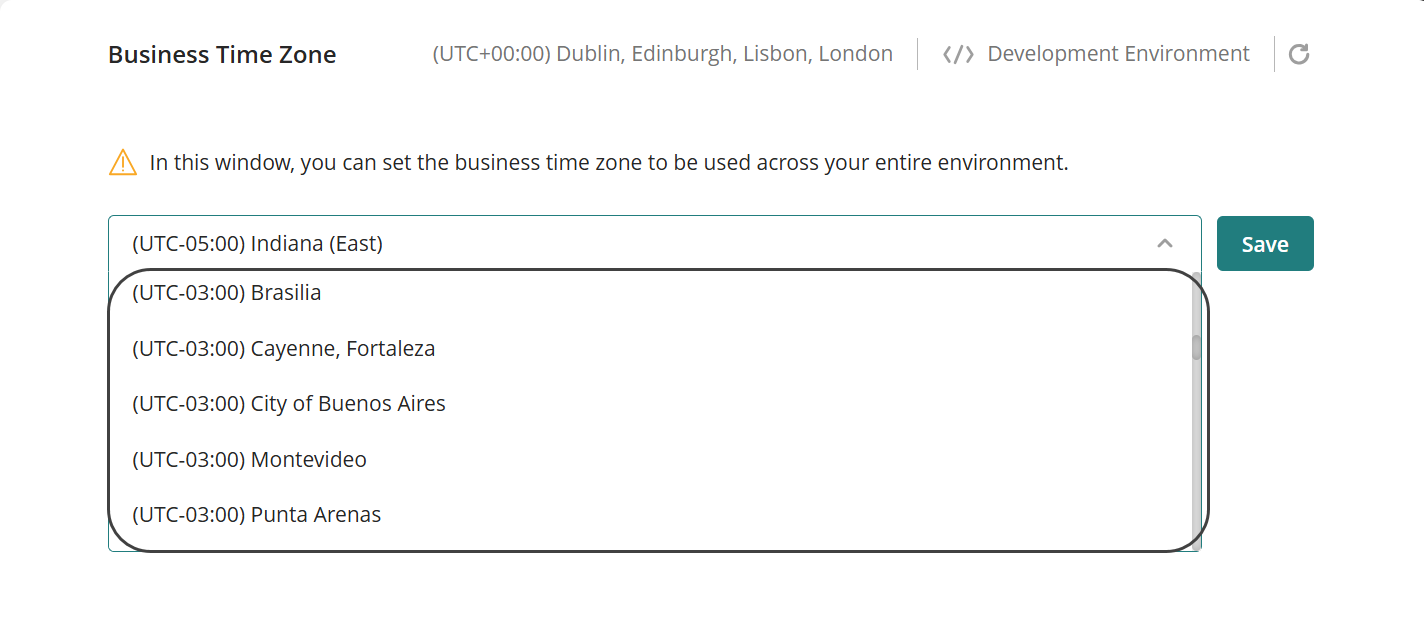
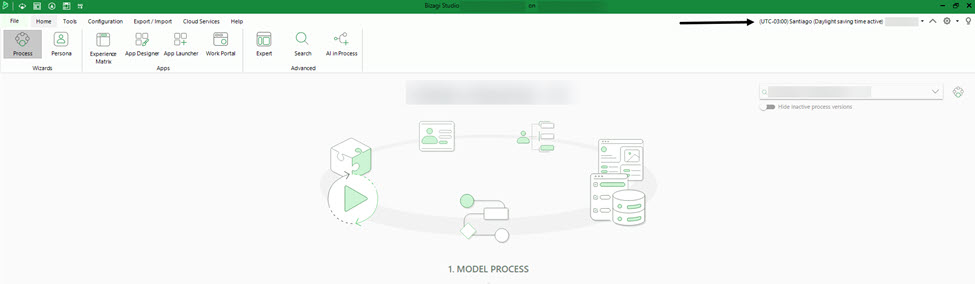
Daylight Saving Time (DST) support has been added, allowing configured time zones to adjust automatically. Through the Management Console, the system transparently manages time changes, ensuring that dates, times, and scheduled executions remain consistent and aligned with the selected time zone. This feature simplifies time management, ensures accuracy during seasonal transitions, and provides a more reliable experience for users across different geographic contexts. The selected time zone will only affect the display of date and time during your session; it will not impact any internal processes or calculations performed by Bizagi, as all dates and times are converted to the UTC time zone.
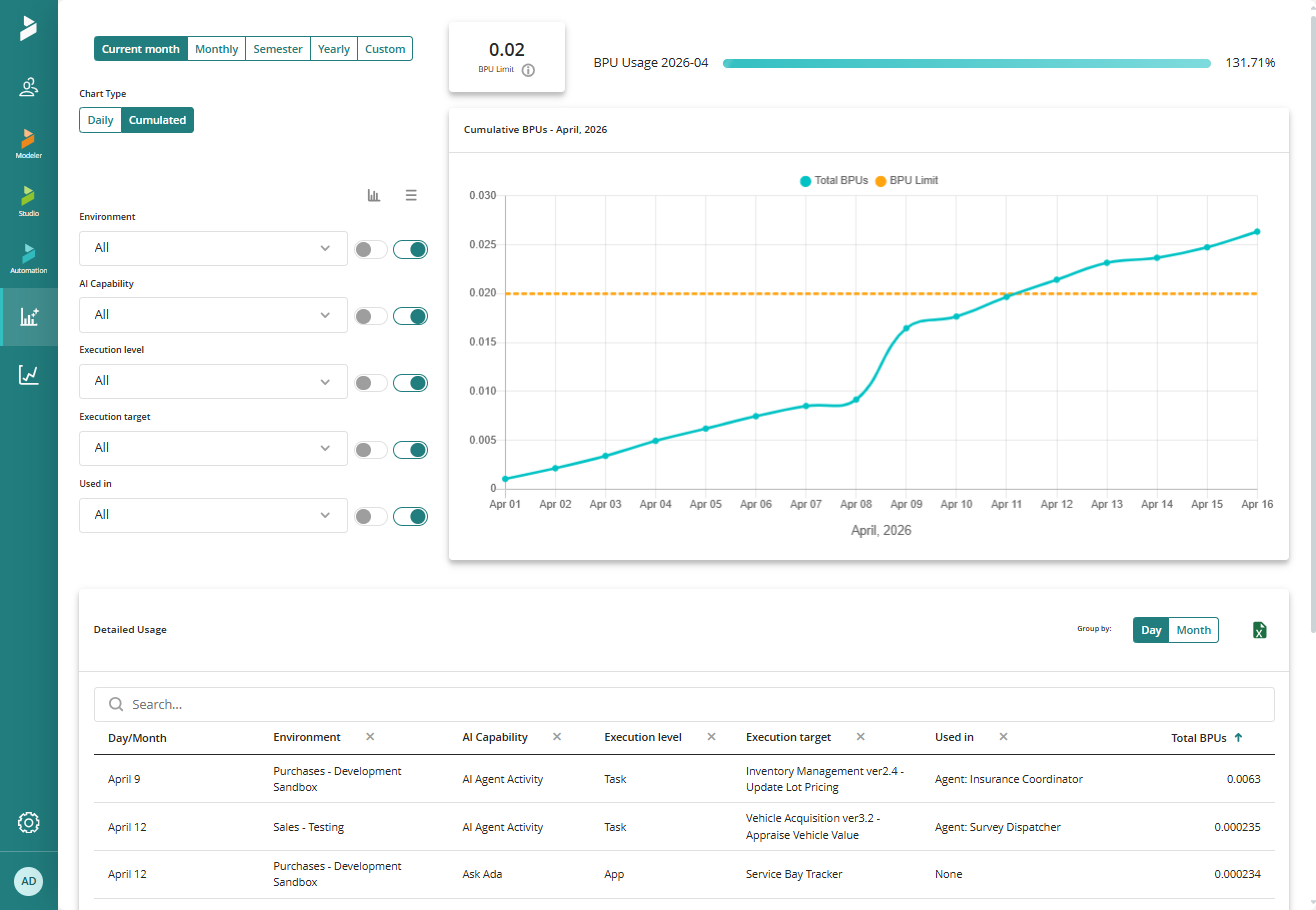
Track and analyze AI usage across your company with the AI BPU Consumption Report. Review consumption over time, monitor it against your AI BPU limit and identify consumption patterns or spikes. Use filters such as environment, AI capability, execution level, and execution target to understand where AI BPUs are being consumed and trace it to specific processes, tasks, entities, applications, or AI services. The report also shows the AI models used and the token consumption behind each execution, helping you understand how AI BPUs are consumed. You can export the data to Excel for additional analysis and reporting.
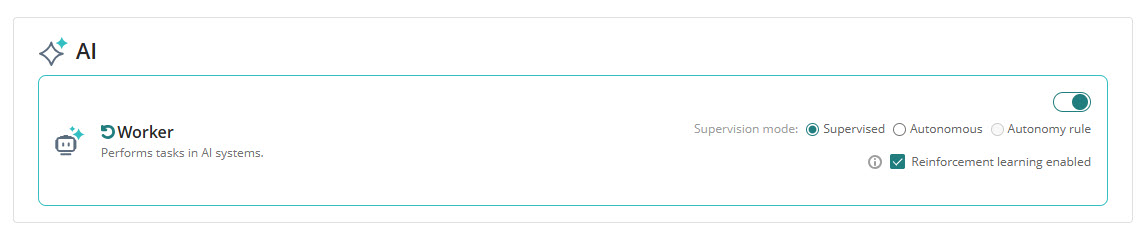
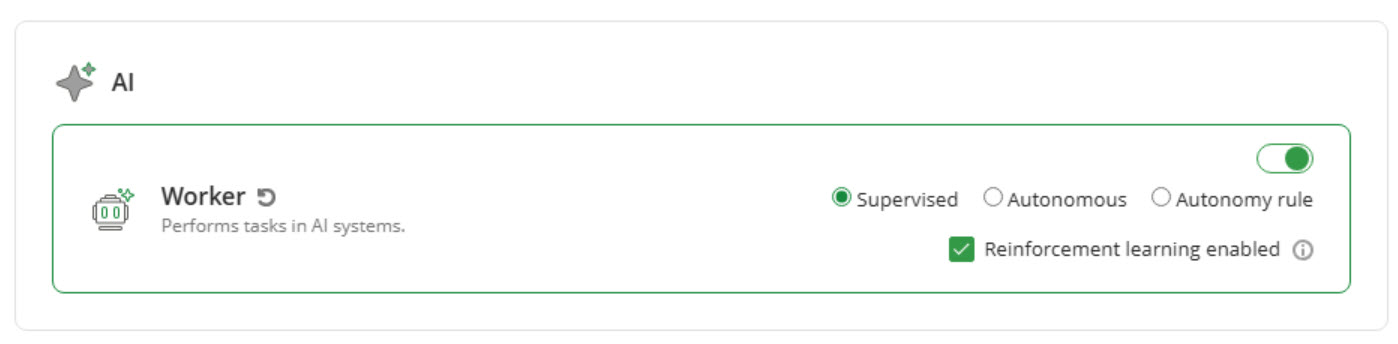
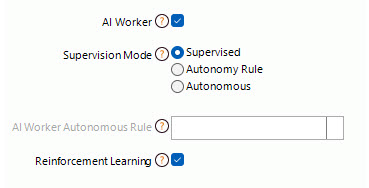
You can enable or disable Reinforcement Learning for AI Workers operating in Supervised mode to align with your process requirements, while keeping the configuration synchronized with Management Console. This setting is available in AI in Process within both Bizagi Studio and Management Console (in Test and Production environments only), as well as in the Model Processes step of the Process Wizard in Bizagi Studio, where it can be configured for each task individually.
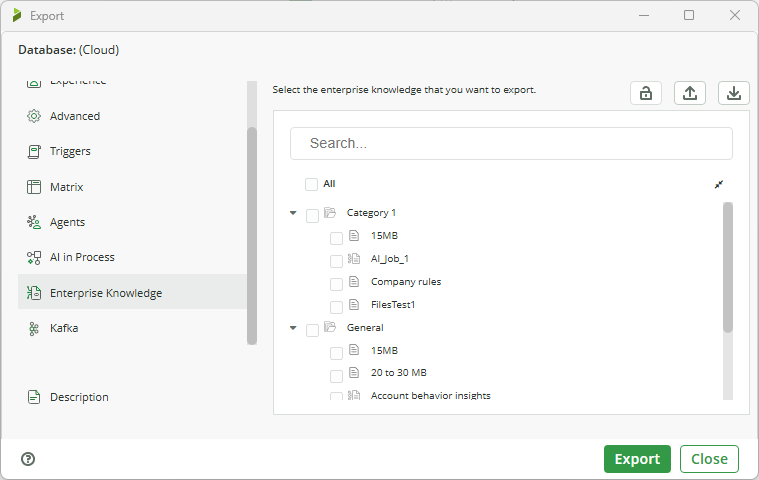
The Export Enterprise Knowledge feature allows exporting Enterprise Knowledge metadata across environments using a deployment package, such as categories, knowledge base catalogs, and artifacts used by the catalogs. Additionally, you can save configurations defined during the export process to reuse them without manually recreating them. This functionality can be accessed from Studio to export the metadata and from the Management Console (MC) to import the and manage the package. Once imported, the metadata becomes available in the MC's AI Hub for visualization and management.
The following improvements were made to the Prompt Assistant in Bizagi Studio:
These improvements enable the generation of clear, structured, execution-ready prompts with consistent formats, typed inputs, precise output definitions, and well-ordered steps, removing issues such as conversational tone, missing fields, and formatting errors.
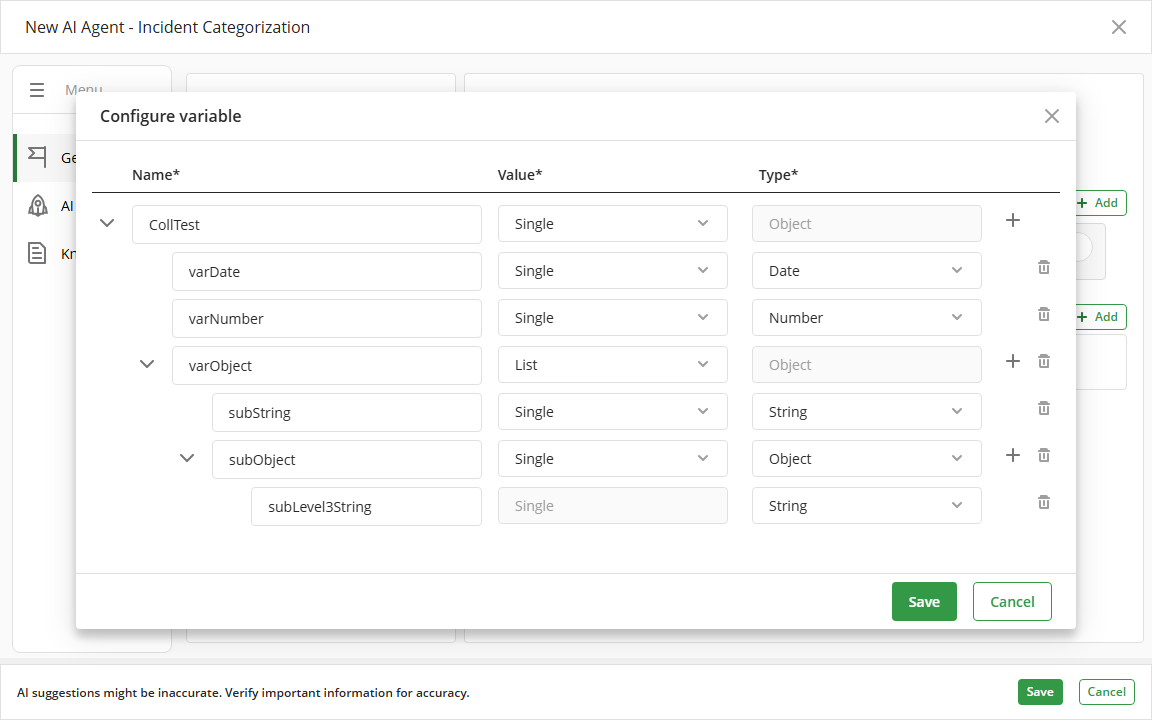
Output variables previously defined as Collection in AI Agents are now represented as Object, enabling the configuration of nested attributes that combine simple data types and Object types with up to three levels of depth. Existing Collections are automatically adapted to the new format and continue to behave as before, without requiring configuration changes.
We replaced the editor used to write AI Agents prompts. The previous editor converted the text into a different format internally, while the new editor keeps the text in plain text. This allows copying and pasting prompts without unexpected formatting changes. Your saved data, workflows, and interaction with the system remain the same.
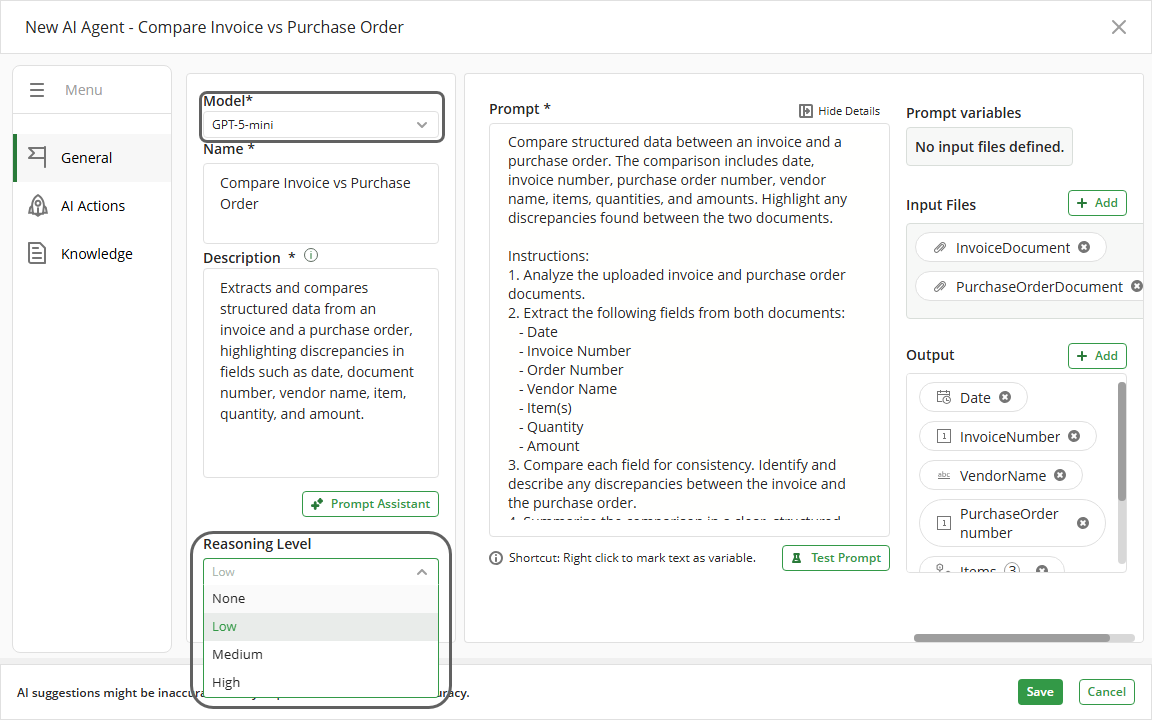
Bizagi Studio allows powering AI Agents through the use of reasoning models available in OpenAI, providing greater control over the depth and quality of the generated responses. From the AI Hub, in the Expert view, it is possible to create new AI Agents or edit existing ones and, in the General tab, select the appropriate model for the agent and define its Reasoning Level. This enhancement makes it easier to configure AI Agents capable of adapting to different scenarios, from quick responses to more in-depth analyses, all from a centralized interface.
The Container Background Customization feature adds color and image configuration for the main layout containers, Content, Section, Row, and Column. It supports color selection, image upload, size and position options, repetition modes, and opacity, all grouped in the Design tab.
Booster
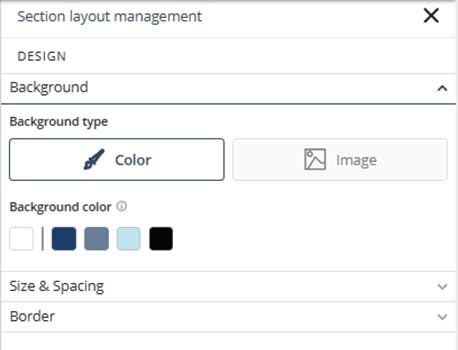
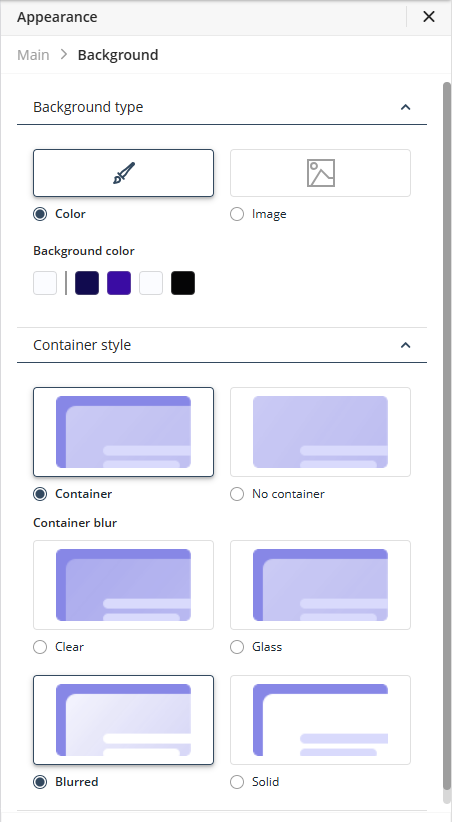
The Background options in the Appearance menu of the App Designer Editor define how your app’s background and content area are displayed. Using Background type, you can select a color or an image as the background, preview the changes directly in the editor, and publish your customization.
The Container style options define how content is displayed over the background, either within a container or across the full screen. The available styles (Clear, Glass, Blurred, and Solid) determine the level of transparency and blur applied to the content area.
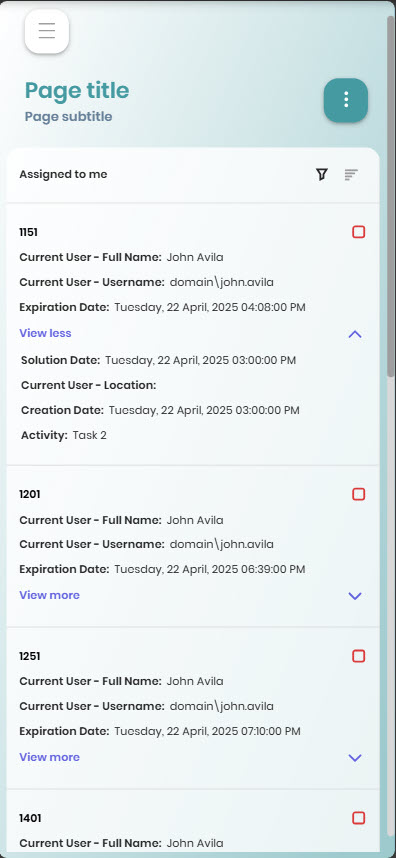
Apps display customized Inbox columns on mobile devices using the same configuration defined in Studio for Desktop. When accessing Inbox controls or Inbox pages on mobile, case cards automatically show the global or process-specific custom columns, keeping the case number in the header and respecting the configured order. If no custom columns exist, the Inbox continues to show default information, ensuring consistent experience when reviewing and managing cases across Desktop and Mobile.
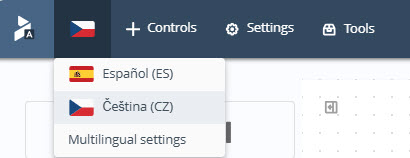
Support for the Czech (Čeština) language in Bizagi is added. You can configure this language as the main language for new apps and add it as an additional language in existing apps. You can also set the App Designer editor language to Czech. This language is available in multilingual apps and includes correct rendering of Czech special characters, including vowels with diacritics (á é í ó ú ý ů ě), consonants with háček (č ď ň ř š ť ž), and their uppercase variants (Á É Í Ó Ú Ý Ů Ě Č Ď Ň Ř Š Ť Ž).
The Embed a Website control allows inserting custom web content using HTML, CSS, and JavaScript. Its built‑in editor provides tools for searching, expanding the workspace with a live preview, and adding snippets.
You can integrate actions with contextual API assistance, work with contextualized pages, and use the SDK documentation with an AI assistant to generate code without programming experience.
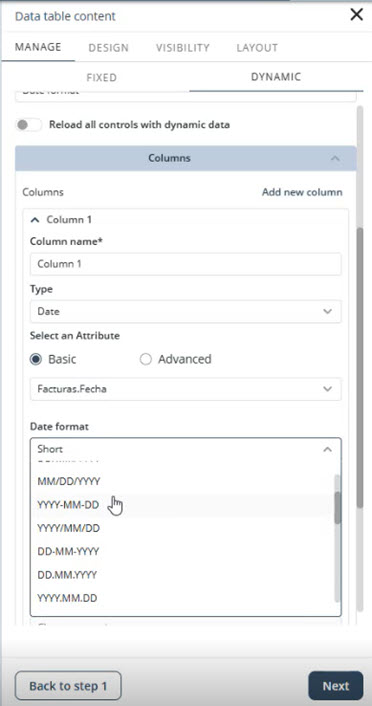
The Data table control gives you flexibility in how dates and times are displayed in Date or DateTime columns. You can choose from multiple date formats, such as DD/MM/YYYY, YYYY-MM-DD, or MMMM D, YYYY, adapted to the language of your app. You can also define how the time is shown, selecting a 24-hour or 12-hour format, including the time zone, or hiding the time entirely. These enhancements are available in the column settings of Data table, which include dedicated Date format and Time format selectors.
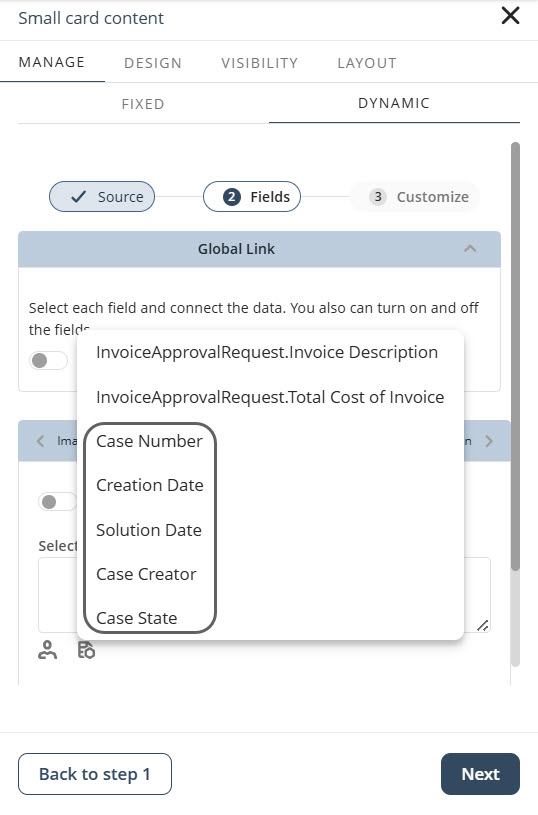
When you configure a Collection control with dynamic data from Cases in the App Designer editor, you can select attributes that belong to the case itself. This includes Case Number, Creation Date, Solution Date, Case Creator, and Case State, which appear alongside your business data when setting up the collection. With this update, you can display these case attributes as columns and also use them to filter and sort the information shown in the collection. This makes it easier for you to review, organize, and understand case related information directly in your app, without opening individual cases.
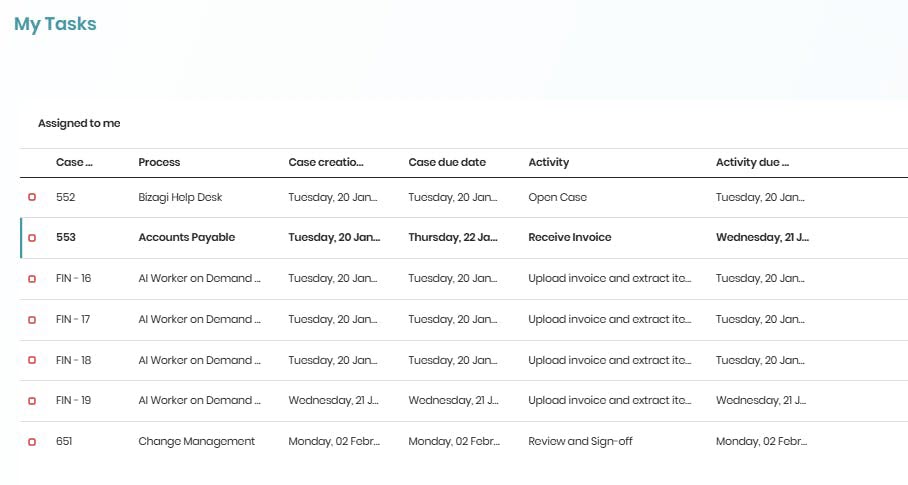
The Inbox control in Apps includes a visual indicator for new cases. The control displays a vertical flag in the primary color of the color palette and bold text in unread items. Upon opening and assigning a case, it is no longer marked as new nor appears highlighted.
Booster
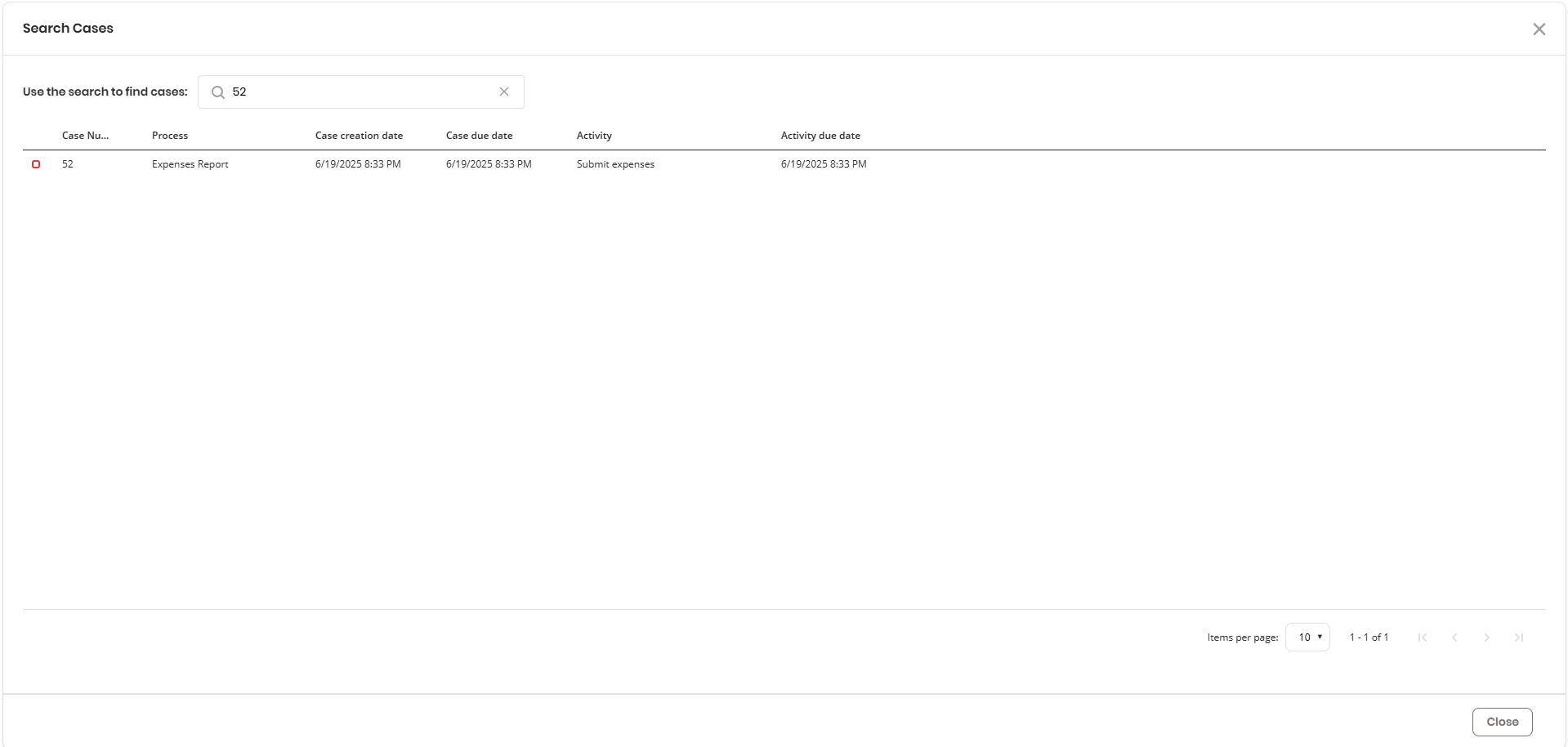
Case Search enables a search field in your app that lets you find and access cases in the Inbox by entering a case number, regardless of whether the Inbox control is present on the page. When you perform a search, the Search Cases window displays matching cases or activities, includes customized columns, and allows you to open the corresponding Activity Form by selecting a result. The search can include closed cases. This functionality is available in both desktop and mobile views, with a tailored experience in each.
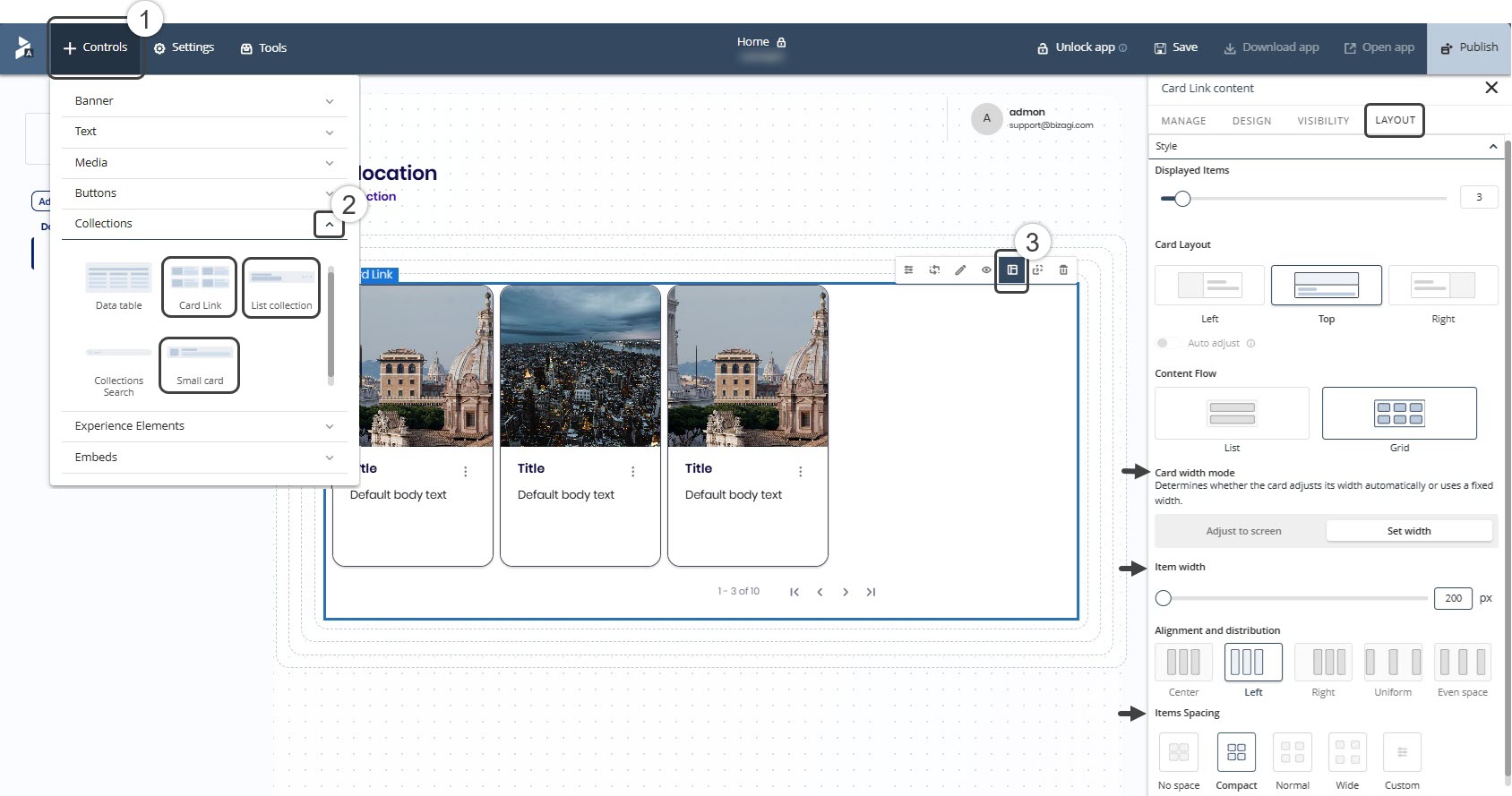
The Custom Grid feature in Collection controls within the App Designer editor allows you to configure how collection items are displayed. You can define column behavior, adjust card width, set alignment, and control spacing, as well as manage how the layout adapts across different screen sizes.
This feature allows you to create consistent and well-organized layouts for Card Link, Small Card, and List Collection controls, helping you make better use of available space and deliver a more structured experience across devices.
 Public Home pages
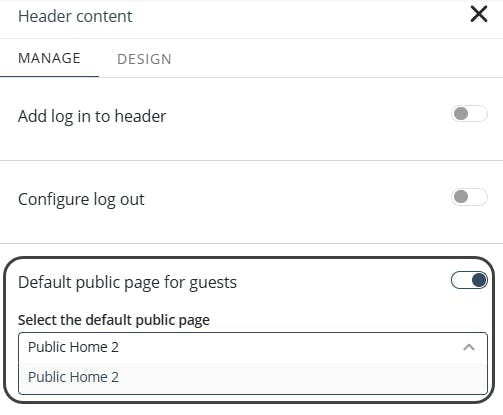
Bizagi allows the use of public Home pages to give you complete control over navigation and user experience in your apps. Users can now configure Public pages as custom Home pages for authenticated users, providing greater flexibility in user experience design. Additionally, the configuration tool makes it possible to set a custom home page specifically for non-authenticated users, giving you complete control over the initial impression of your app.
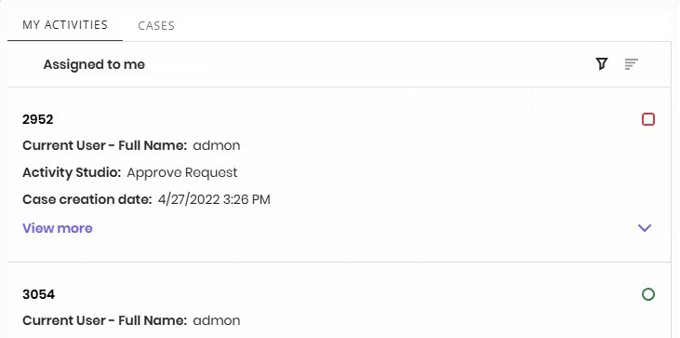
The Inbox control in the App Designer editor includes a My Cases tab that improves case visibility and navigation. It supports displaying Activities, Cases, or both; customizing tab and table names; using custom columns; and filtering cases by status. It applies only to Inbox controls, and tab and table names are limited to 30 characters.
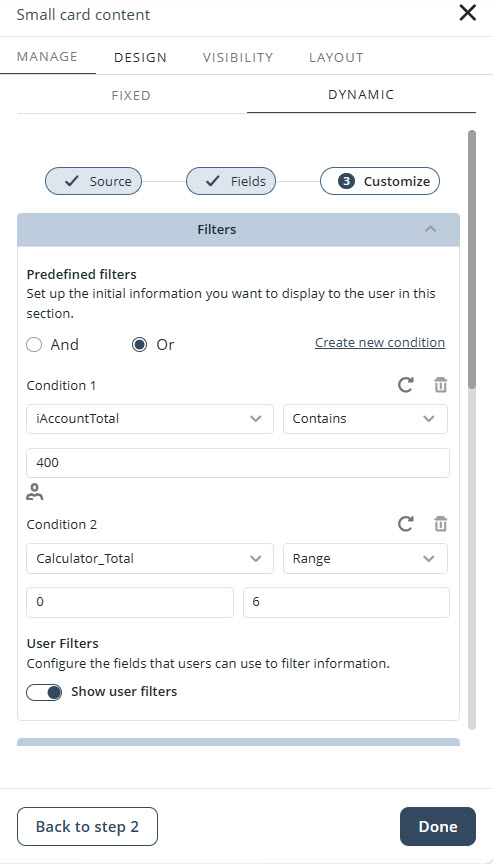
User filters on Collection controls support advanced operators for filtering data across Text, Numeric, DateTime, Boolean, and dynamic data obtained from XPath. When configuring filters, the available operators, input settings, and validation rules automatically adjust based on the selected data type, allowing you to define more precise filter conditions.
The Slider components across the App Designer editor has received two major improvements.
A bubble has been added to a slider knob, it appears when adjusting sliders, showing the exact size or proportion of the element in real time.

Users can type values directly into an input field. Entries are automatically restricted to valid minimum and maximum ranges, reducing errors and improving workflow efficiency.
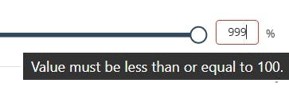
Together, these updates improve precision and provide immediate, more intuitive feedback when adjusting element sizes and properties.
The navigation experience within the App Designer editor has been enhanced through the stabilization of the right Sidebar. The panel remains open while switching between controls, containers, menus, banners, and headers, dynamically updating its content based on the selected element. This improvement eliminates unexpected panel closures and reduces the number of actions required to access component properties.
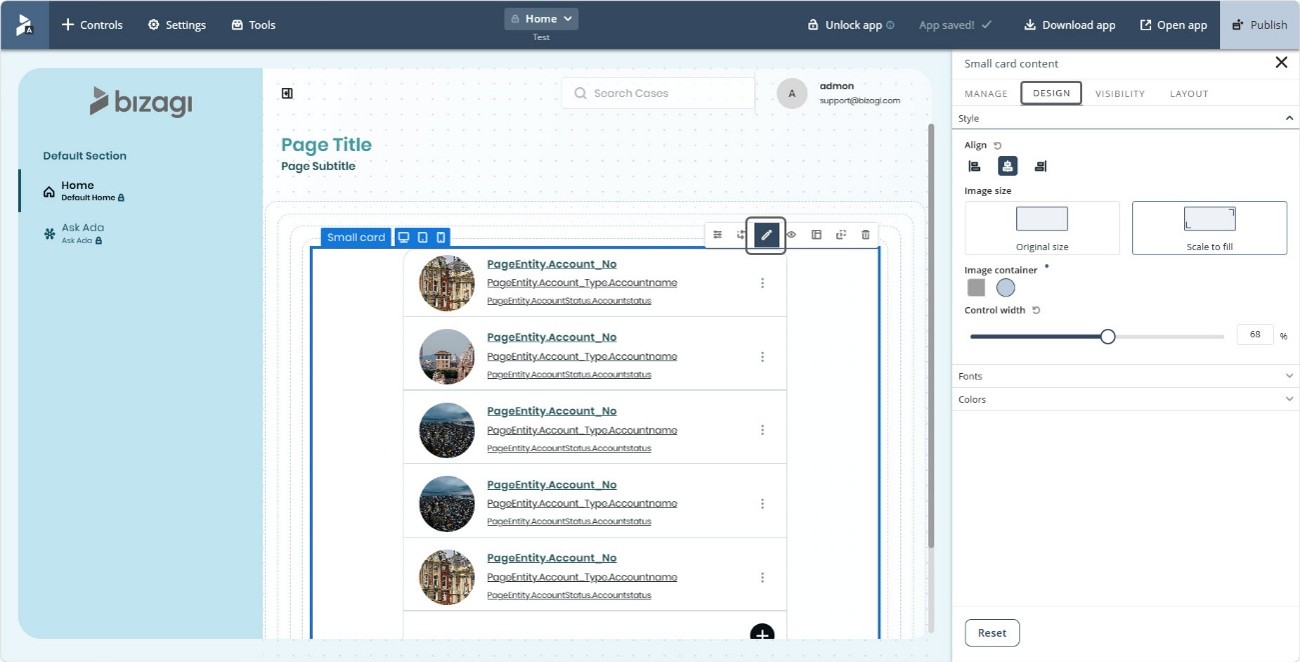
A protection mechanism has been introduced to prevent data loss when editing Collection controls with dynamic configurations. When unsaved changes are detected and you attempt to navigate to another element or exit the current configuration, the system displays a confirmation dialog that allows you to cancel the action and preserve the current editing state.
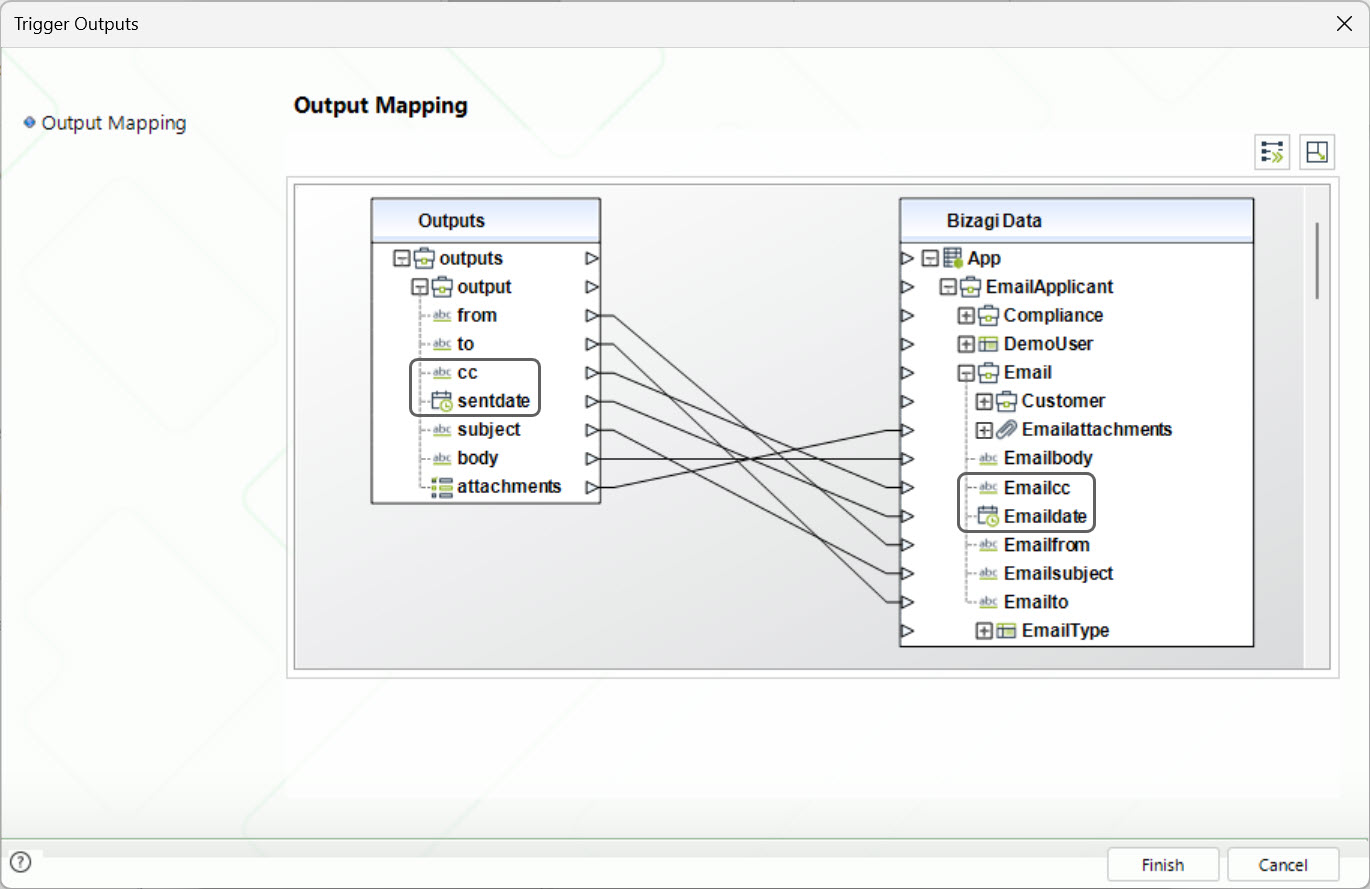
Bizagi supports capturing CC recipients and the Sent Date in the Email Trigger, enabling processes to store richer email context without additional configuration; you only need to add the attributes to your data model and map the new Email Trigger outputs, which are automatically populated for every processed email.
Important
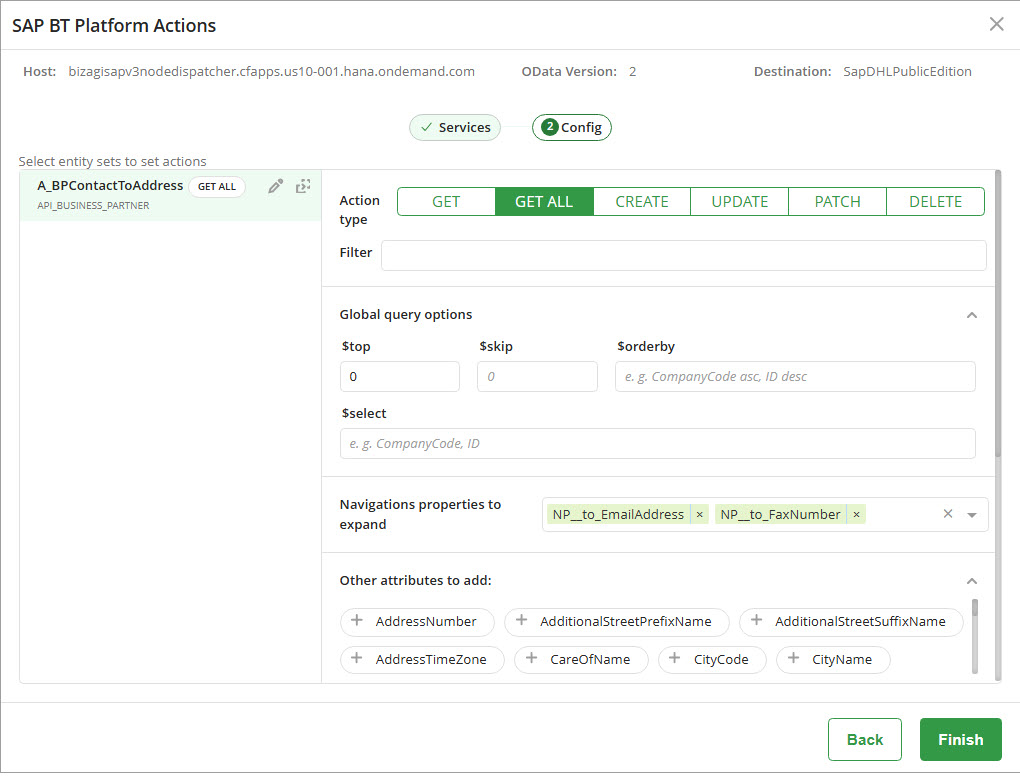
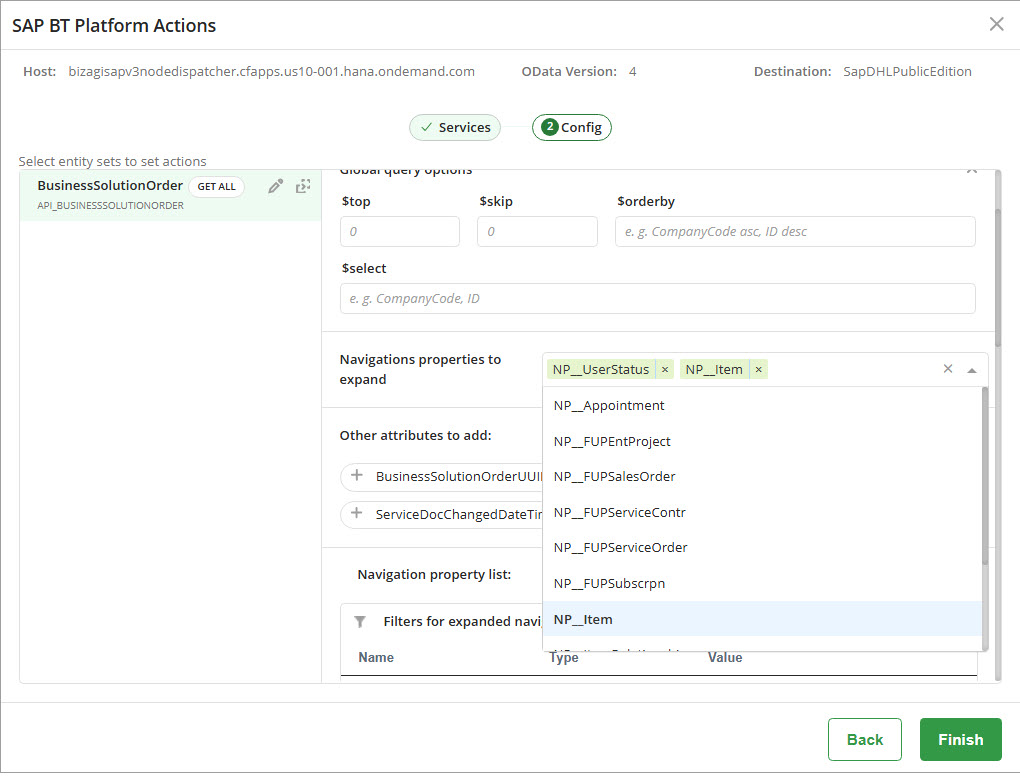
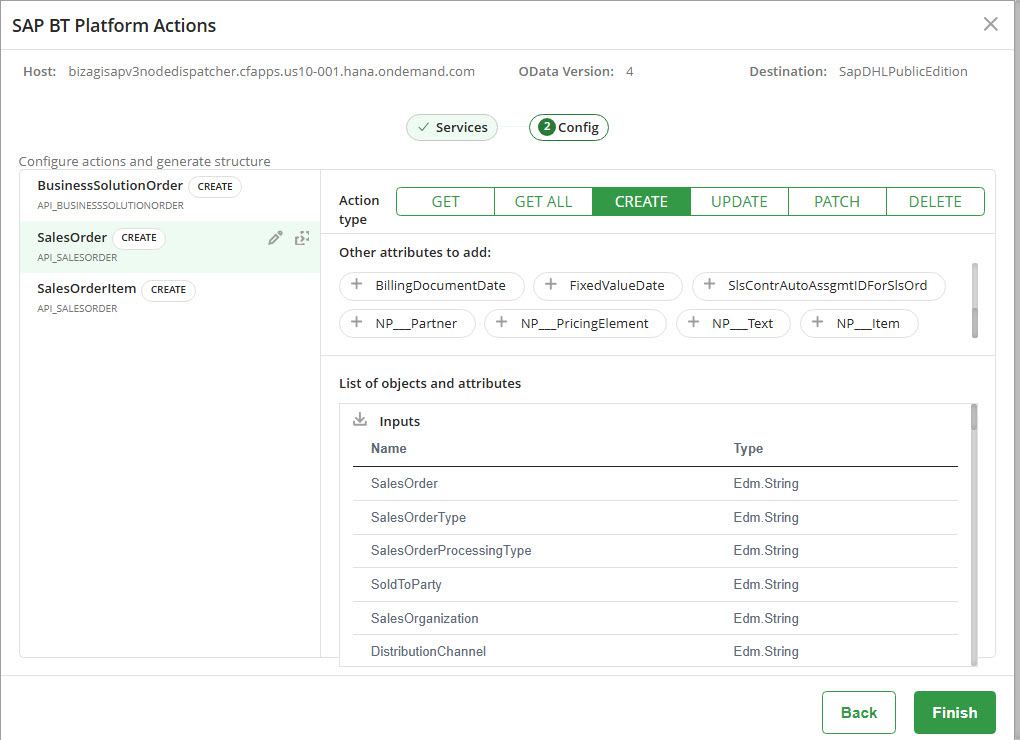
To use the SAP BTP integration features introduced in Summer 2026, you must upgrade the Bizagi Dispatcher to version 1.3.x or later. Earlier Dispatcher versions are not compatible with these features. The Dispatcher installation package and configuration instructions are available in the Configure SAP BTP for SAP on-premises systems documentation, and the Dispatcher release history can be reviewed in the Bizagi SAP Cloud Platform Dispatcher release notes.
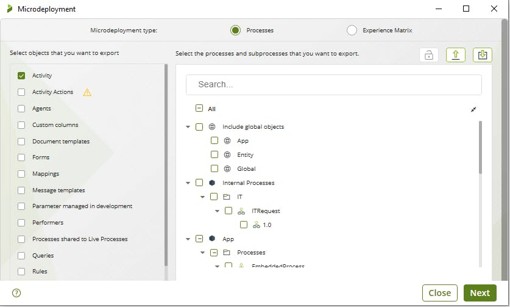
This feature introduces Microdeployment for Tasks, allowing you to export individual Tasks and their runtime configuration without performing a full deployment. Task Microdeployment lets you update execution properties such as Name, Display Name, Retry Count, and Asynchronous State.
When you import changes, the system automatically validates them, ensuring that only the objects you select are updated. This keeps environments consistent and reduces risks when making minor modifications.
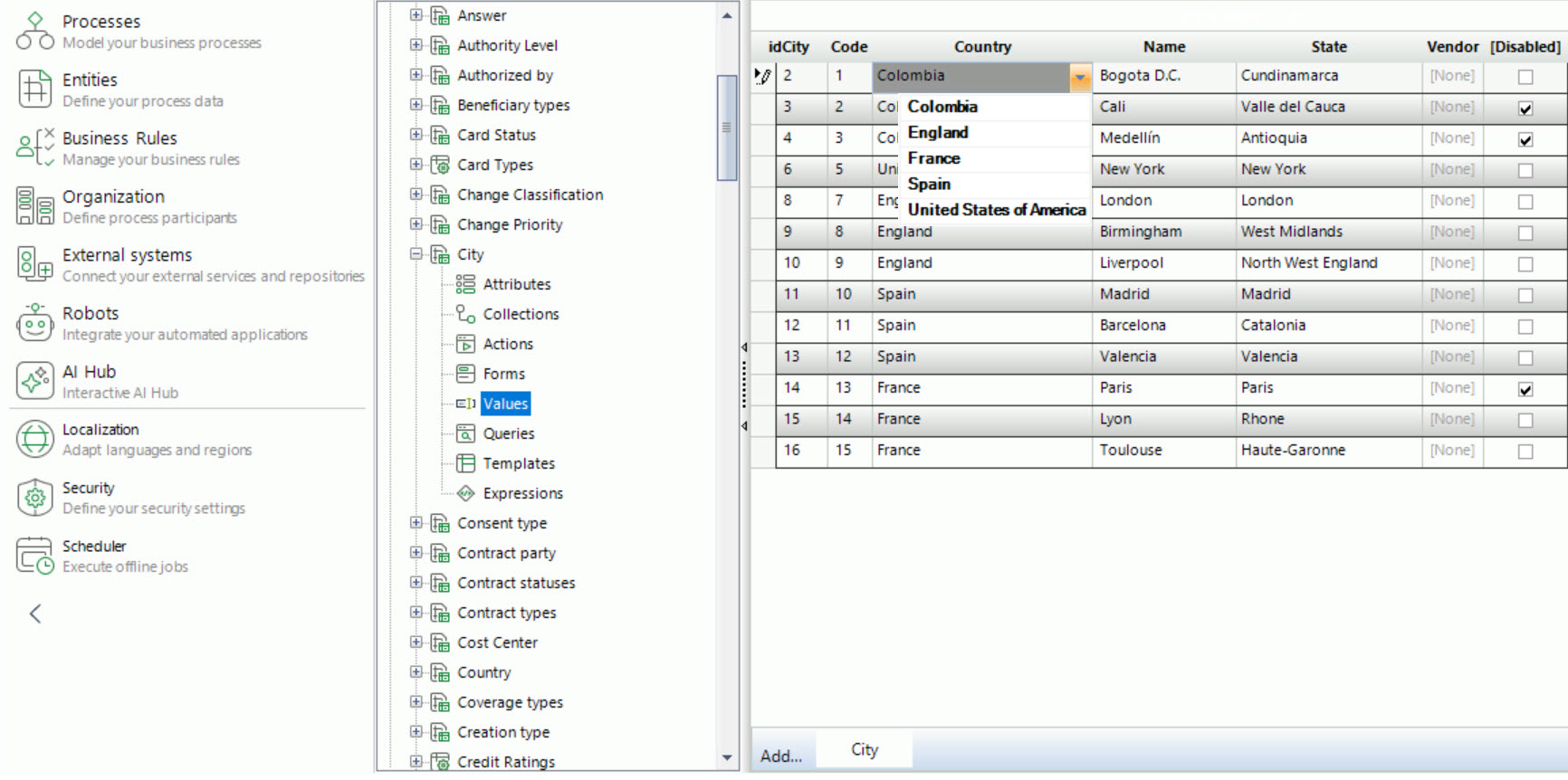
Bizagi has improved the Entity Values dropdown menu. Now, the dropdown presents them in alphabetical order. This enhancement makes it easier for you to quickly find and select the option you need.
Support for Daylight Saving Time (DST) is added in Bizagi Studio for Local display time zone. The system automatically applies DST when it becomes effective and reverts to the correct UTC time when it ends. This adjustment is strictly visual, as all jobs, scheduled activities, and timestamps continue to be stored in the database in UTC 0, regardless of the local time zone. With this enhancement, you can view all date-time values converted to your local time, including DST adjustments.
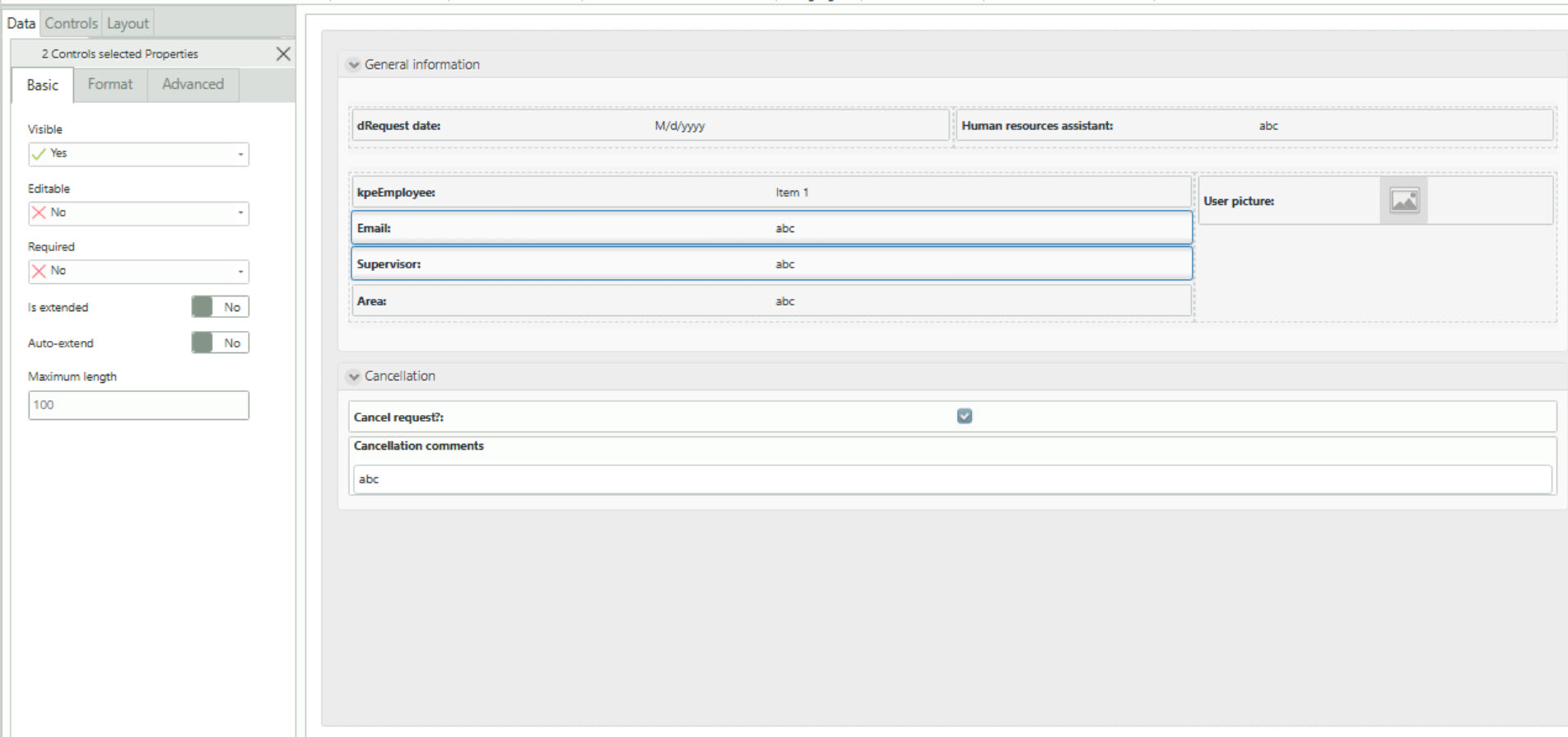
The Forms Designer lets you edit properties when selecting multiple compatible controls at the same time, showing common properties under the Basic, Format, and Advanced tabs. This reduces repetitive configuration while preserving individual control behavior. This enhancement applies to supported controls, excluding table columns, hidden controls, and widgets, with changes applied uniformly across the selected controls.
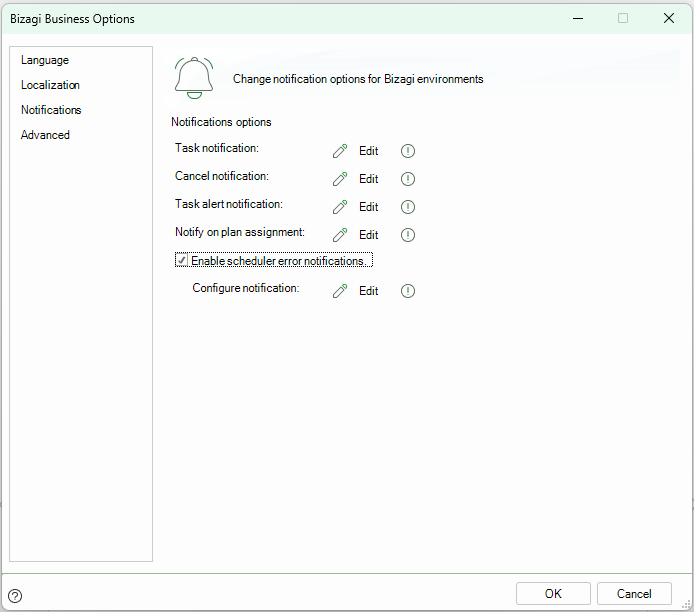
We added an optional alert notification that triggers when a Custom Job encounters an error during Scheduler execution. This supports timely error handling by sending an immediate email and allowing configuration of the recipients, subject, and message content.
Bizagi integrates Swagger and OpenAPI to provide interactive OData endpoint documentation in Development environments. With credentials generated in the Work Portal, you can review parameters, test requests, and verify responses in Swagger UI or in external API client tools, like Bruno, by downloading a JSON file available in Swagger 2.0 and OpenAPI 3.0 format that contains all OData endpoints.
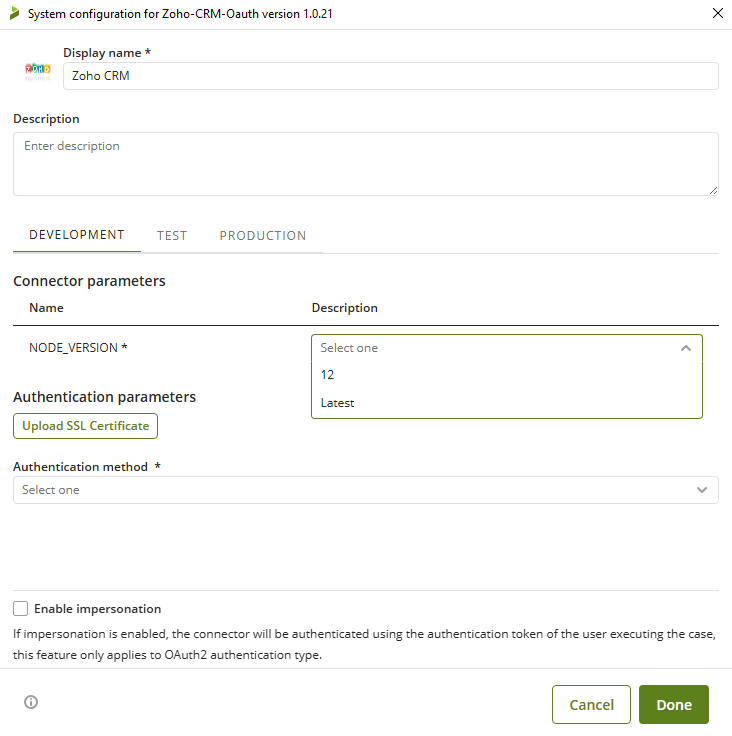
The Connector Server supports Node.js 22 as the standard runtime for connectors, while maintaining backward compatibility with existing connectors running on Node.js 12. All current connectors will continue to run without changes by default. We strongly encourage customers to gradually migrate legacy connectors to Node.js 22 to benefit from enhanced security, improved performance, and access to modern NPM packages. Migration is optional and can be performed on a per-connector basis, with rollback support available if needed.
To strengthen security and improve credential management, Bizagi Studio no longer creates OAuth2 application credentials automatically when opening the DRT. Users must now manually enter a Client ID and Client Secret generated in Work Portal. Legacy OAuth2 applications created by the previous mechanism are automatically detected and removed when the DRT is opened.
The Full Service Restart feature includes the Apps service, along with the Work Portal, Connectors, and Scheduler services. This enhancement ensures that these components restart together during maintenance operations, improving consistency and operational reliability.
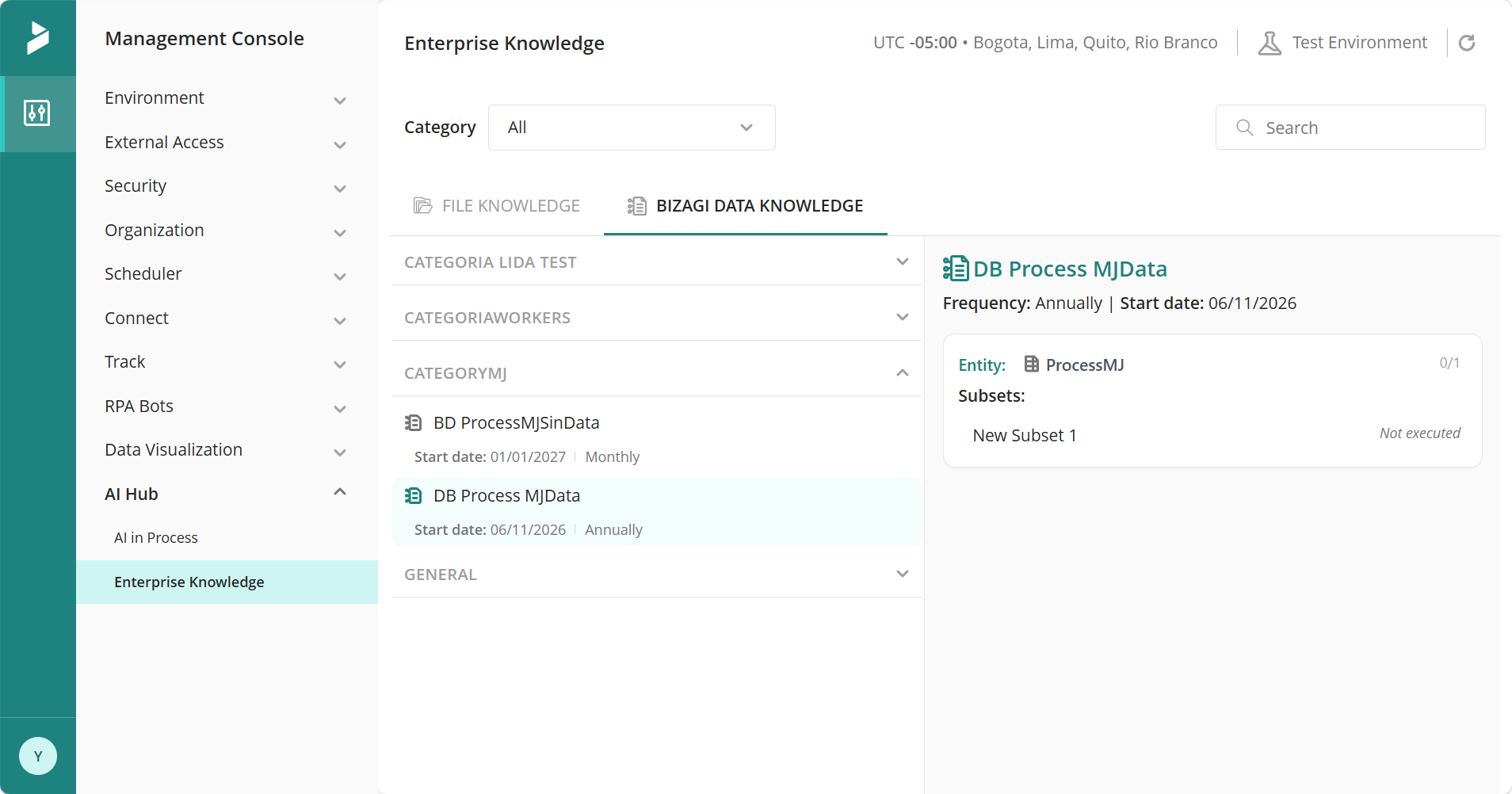
The Bizagi Data Knowledge module delivers a more intuitive and scalable experience when working with Knowledge Base Catalogs. You can navigate up to four hierarchical levels—Category, Knowledge Base Catalog, Entity, and Subset—while managing multiple entities with greater flexibility. The module also includes clearer execution states for Subsets, improved responsive design for small screens, and user‑friendly error notifications that let you retry actions when needed. These enhancements allow you to explore and manage your Knowledge Base Catalogs more efficiently and with greater clarity across different display sizes.
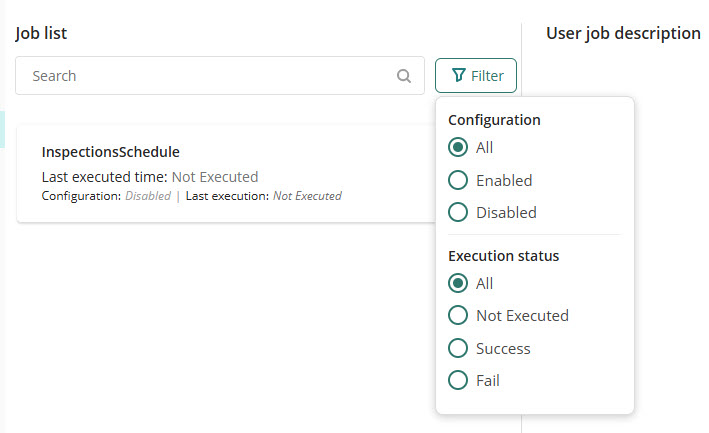
Jobs Administration: Filtering and Execution Log ordering
The User Jobs Administration tab in the Management Console offers advanced filtering capabilities beyond simple Job name search, making it easier to monitor and manage large Job lists. You can refine results by execution status and by whether a Job is enabled or disabled, helping you quickly focus on relevant Jobs. Additionally, Job Execution Logs are displayed with the most recent execution first, enabling faster tracking of current activity and investigation of recent issues. These capabilities are available for both User Jobs and AI Jobs.
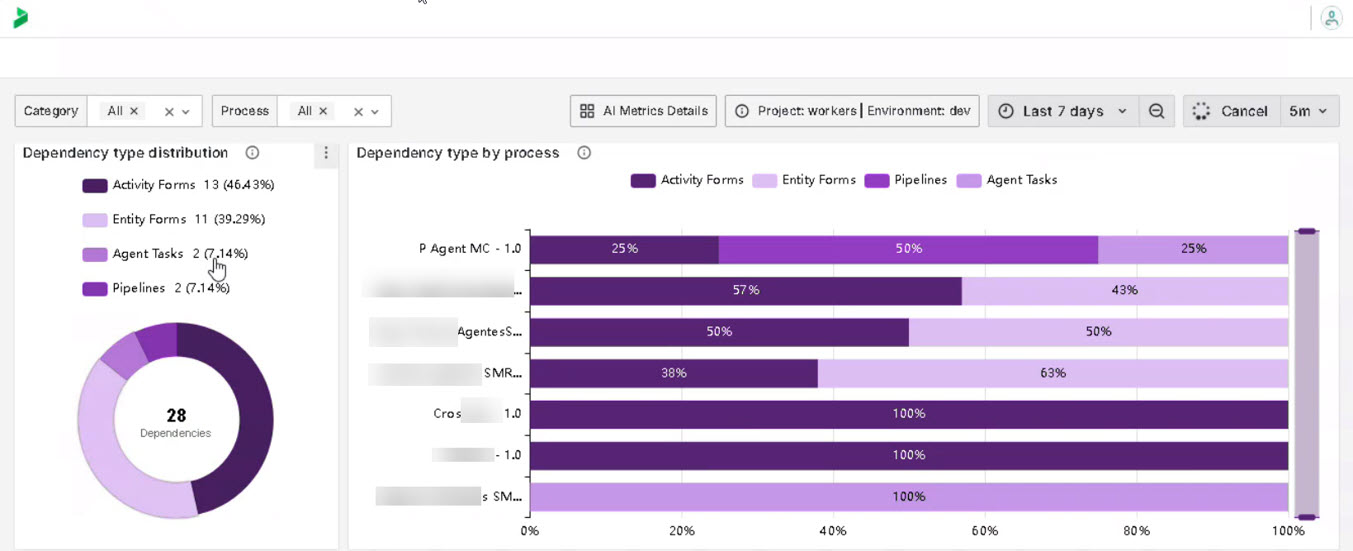
In this version, improvements focus on artificial intelligence metrics. An AI Metrics dashboard is included, expanding visibility into agents by providing usage metrics, operations over time, and adoption by process and by agent. Distribution views are also added, allowing users to understand where agents are being executed, along with knowledge base metrics that show how knowledge is used across processes.
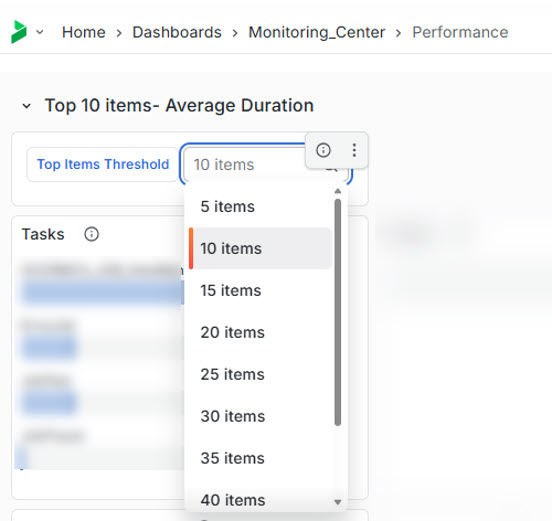
We’ve enhanced the Top items – Average duration section to provide greater flexibility and visibility of the system performance. Previously limited to the top 5 results, you can now adjust the number of displayed items up to the top 40, depending on your analysis needs. With this change, users can balance focused analysis with deeper insights, making it easier to prioritize optimization efforts and improve overall application performance.
OData requests can no longer modify fields configured as non editable in Bizagi forms. This change strengthens input validation and prevents updates to fields that are not intended to be modified.
If an OData request needs to assign a value to a field, make sure the corresponding field is configured as editable. Otherwise, the request returns an HTTP 400 error.
